

Introduction
Complex transformations, inconsistent payload structures, and dynamic routing needs often give SAP CPI developers a hard time. SAP Cloud Integration provides graphical tools but, more often than not, cannot handle real-world integration complexity — this is exactly where SAP CPI Groovy Scripts step in. Instead of relying on inflexible hard mappings, Groovy scripting gives developers flexibility, reusability, and high performance, from XML-to-JSON transformations to dynamic header and property modification.
In this article, we don’t just discuss theory, but rather practical use cases. We’ll show you how and when to use Groovy scripts, what the benefits are in terms of both performance and maintainability when creating enterprise integrations.
Optimizing Groovy Scripting in SAP Cloud Integration
Groovy scripting in SAP Cloud Integration provides developers with programmatic control over message processing when standard graphical mappings fall short. By accessing the core Message interface, scripts read and manipulate message bodies, exchange headers, and properties directly during runtime execution. This capability is essential for handling dynamic payload transformations, complex conditional routing, custom exception handling, and headers management across multi-system flows. However, developers should apply scripts selectively to avoid unnecessary processing overhead. Standard graphical message mapping remains the preferred choice for standard transformations, ensuring optimal integration performance and long-term pipeline maintainability across enterprise integration architectures.
What Are SAP CPI Groovy Scripts?
SAP Groovy Script is an integration in SAP Cloud Integration (CPI) that implements the business logic which cannot be performed using standard out-of-the-box integration tools.
It is important for advanced scenarios such as:
- Complex payload transformations
- Dynamic routing based on conditions
- Custom header and property manipulation
- Data validation and enrichment
- Error handling and logging
Whereas graphical message mapping provides a flow-based styling of messages, Groovy enables developers to express exact logic with complete control over how each individual message is processed.
Hence why, in the enterprise-grade integrations use cases where flexibility needs to be addressed, sample Groovy scripts for SAP CPI are very popular among most users.
| Aspect | Message Mapping (Graphical) | SAP CPI Groovy Script |
|---|---|---|
| Setup speed | Faster for simple transformations | Slower, requires coding |
| Flexibility | Limited to available functions | Full custom logic control |
| Best for | Straightforward field mapping | Complex/conditional logic |
| Maintainability | Easier for non-developers | Requires Groovy knowledge |
| Performance (complex cases) | Can degrade with nested logic | Often faster with optimized code |
How SAP CPI Groovy Scripts Help
To understand how scripts at the Groovy level interact with CPI.
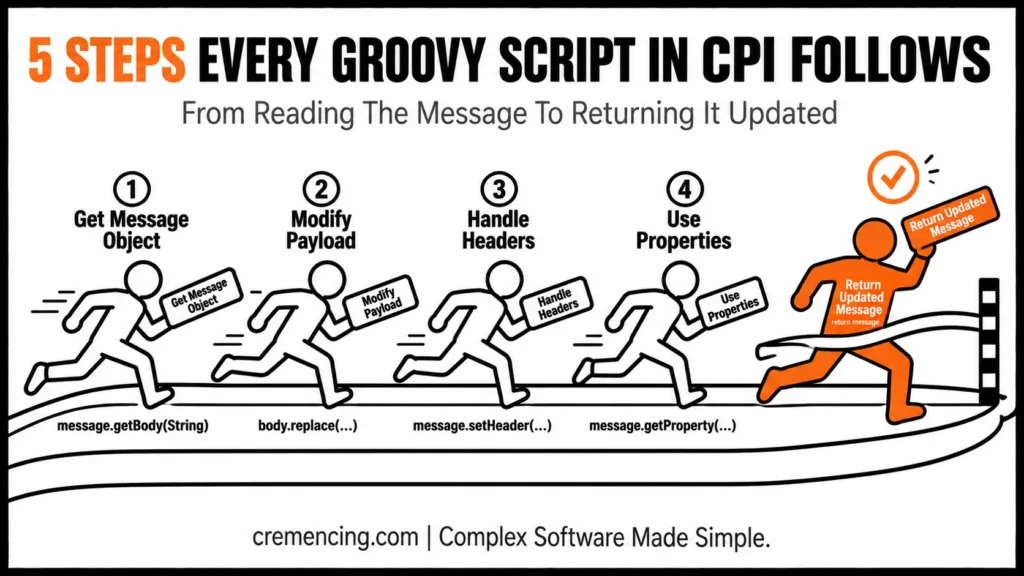
Writing SAP CPI Groovy Scripts: Step 1 – Get the Message Object
Accessing the message object is how every Groovy script starts.
def body = message. getBody(String)
This gives you access to read and modify the payload.
Step 2 – Modify Payload
You are presumed to have an alternative meaning, in particular.
body = body. replace(“oldValue”, “newValue”)
message.setBody(body)
This is very commonly used in transformation scenarios.
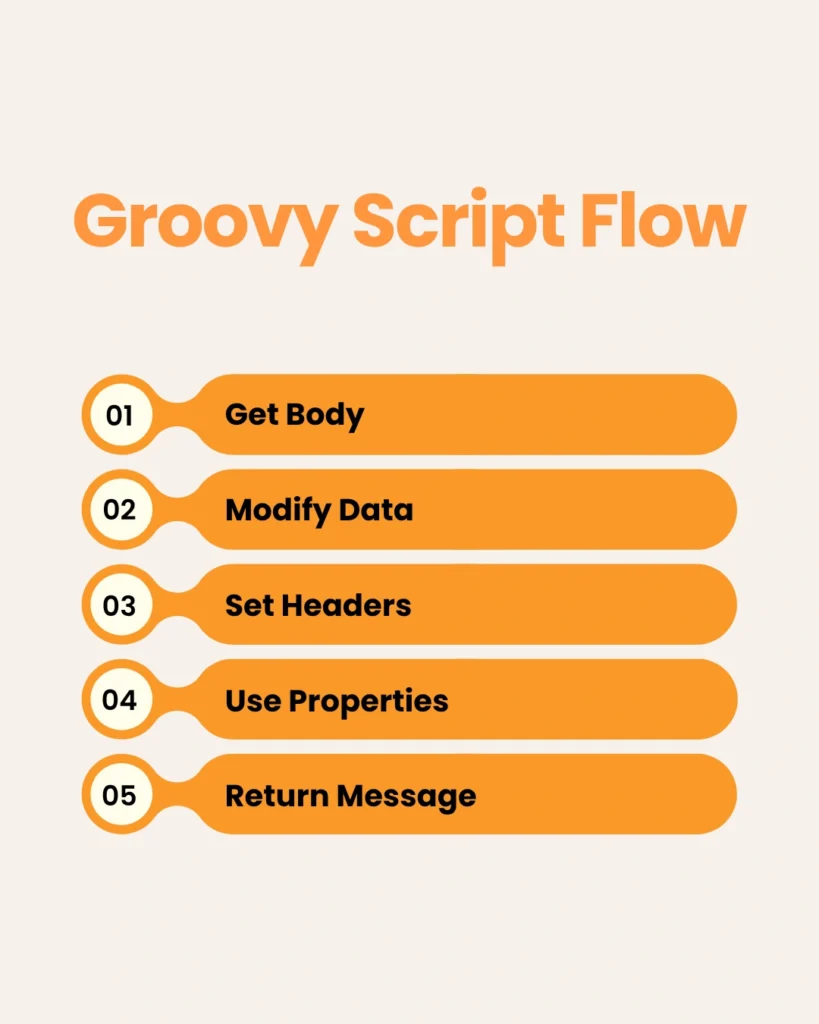
Step 3 – Dealing with Headers
Headers determine routing and integration logic.
message. setHeader(“Content-Type”, “application/json”)
Step 4 – Use Properties
Properties used to hold temporary data while processing.
def prop = message. getProperty(“myProperty”)
SAP CPI Groovy Scripts Step 5 – Return Updated Message
Every script should return the new message.
return message
This is the base we always start talking about in any Groovy script tutorial in SAP CPI.
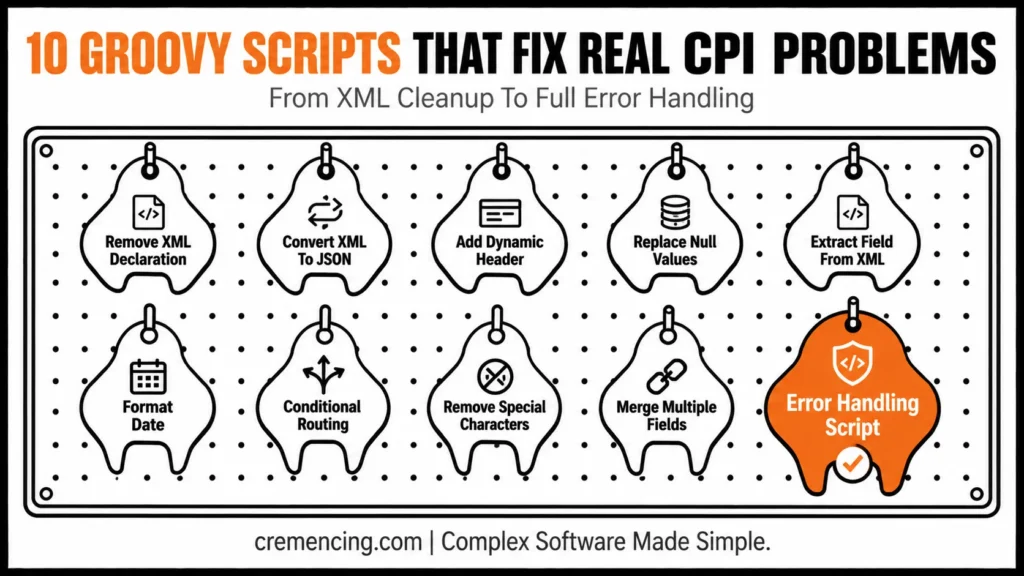
10 SAP CPI Groovy Scripts — Cheat Sheet
- Remove XML Declaration
- Convert XML to JSON
- Add a Dynamic Header
- Replace Null Values
- Extract Field from XML
- Format Date
- Conditional Routing
- Remove Special Characters
- Merge Multiple Fields
- Error Handling
Real Problems with 10 SAP CPI Groovy Scripts Examples
Now, let us see some real-world SAP CPI Groovy script examples for practical integration issues.
SAP CPI Groovy Script: Remove XML Declaration
body = body. replaceFirst(“(? s)”, “”)
Use when systems do not like XML declarations.
SAP CPI Groovy Script: Convert XML to JSON
Libraries to convert formats dynamically exist in the Groovy world.
This is crucial when working with REST APIs.
Add a Dynamic Header
message. setHeader(“RequestID”, UUID. randomUUID(). toString())
Make sure no two messages are marked the same.
Replace Null Values
body = body. replaceAll(“null”, “”)
Helps clean data before processing.
Extract Field from XML
You can retrieve some specific nodes for processing using XML parsing.
Format Date
def date = new Date(). format(“yyyy-MM-dd”)
(For API compatibility and logging purposes)
Conditional Routing
if(body.contains(“error”)){
message. setProperty(“route”, “error”)
}
Supports dynamic routing logic.
Remove Special Characters
body = body. replaceAll(“”, “”)
Improves data consistency.
Merge Multiple Fields
Dynamically merge different fields into one payload.
Error Handling Script
try {
// logic
} catch(Exception e){
message. setProperty(“error”, e.message)
}
Improves system reliability.
Advantages and ROI of SAP CPI Groovy Scripts
Working examples of SAP CPI Groovy scripts have lots of benefits.
Key Benefits
- Cut down on manual mapping efforts by 30–50%
- Improve message processing speed
- Enable complex transformations
- Increase flexibility in integration design
Business Impact
- Faster implementation cycles
- Reduced development cost
- Improved system reliability
- Better scalability for enterprise integrations
For organizations that manage integrations at a high volume, Groovy scripts increase productivity considerably.
Common Mistakes to Avoid with SAP CPI Groovy Scripts
You’d think seasoned devs wouldn’t abuse Groovy scripts.
Common Mistakes
- Know your tools: Overusing Groovy
- Writing inefficient or unoptimized scripts
- Ignoring exception handling
- Not testing edge cases
Best Practices
- Use Groovy only when needed
- Keep scripts modular and reusable
- Add logging for debugging
- Optimize performance
Where You Should NOT Use SAP CPI Groovy Scripts
There are a lot of blogs about usage, but not limitations.
Avoid Groovy when:
- Normal mapping could resolve that issue
- Scripts come at an overhead cost, and Performance matters
- Simpler configuration options exist
The real skill, however, is knowing when not to reach for Groovy.
Stuck with your SAP CPI integrations? Our specialists create scalable, performance-driven integration solutions specific to your business.
Conclusion
In a nutshell, SAP CPI Groovy Scripts are a real-time and relatively easy solution to deal with complex Integration challenges. Whether it is for payload transformation, dynamic routing, or error handling, Groovy scripts provide a level of flexibility that most out-of-the-box tools are unable to provide.
But the real value is using them in a smart way. Following the examples and best practices described in this document will enable you to develop more efficient, scalable, and reliable integrations within SAP CPI.
FAQ Section
1. What is a SAP CPI Groovy Script used for?
Basically, a SAP CPI Groovy Script handles business logic that standard graphical tools in SAP Cloud Integration cannot process. In addition, it’s commonly used for payload transformations, dynamic routing, and header manipulation. Therefore, developers rely on it whenever out-of-the-box mapping falls short.
2. How do I start writing a SAP CPI Groovy Script?
First and foremost, every script begins by accessing the message object using message.getBody(String). From there, you modify the payload, headers, or properties as needed. Finally, the script must return the updated message object for the integration flow to continue.
3. Can SAP CPI Groovy Scripts improve integration performance?
Yes, indeed — when written efficiently, Groovy scripts can significantly speed up message processing. However, poorly optimized scripts can actually slow down an integration flow instead of helping it. So, performance gains depend entirely on how well the script is written.
4. Are SAP CPI Groovy Scripts reusable across integration flows?
Generally speaking, yes — a well-structured Groovy script can be reused across multiple integration flows. Moreover, keeping scripts modular makes this reuse much easier to manage. As a result, teams save development time by not rewriting the same logic repeatedly.
5. When should I avoid using a SAP CPI Groovy Script?
Typically, you should avoid Groovy when standard graphical mapping can already solve the requirement. Additionally, scripts add processing overhead, so they aren’t ideal when performance is critical and simpler options exist. Hence, the real skill lies in knowing when not to reach for Groovy.
6. What is the difference between Groovy scripting and message mapping in SAP CPI?
Essentially, message mapping offers a flow-based, graphical way to transform messages with minimal coding. In contrast, Groovy scripting gives developers full control over message logic through actual code. Overall, the right choice depends on how complex the transformation requirement is.
7. How do SAP CPI Groovy Scripts handle errors?
Specifically, error handling is done using try-catch blocks around the script logic. Furthermore, developers often log the exception message to a property for tracking and debugging. Consequently, this improves the reliability of the entire integration flow.
8. Can a SAP CPI Groovy Script convert XML to JSON?
Yes, absolutely — Groovy scripts are commonly used for exactly this kind of format conversion. Moreover, this is especially useful when working with REST APIs that expect JSON payloads. Thus, it’s one of the most frequently used Groovy script patterns in SAP CPI.
9. Do SAP CPI Groovy Scripts require Groovy programming knowledge?
Naturally, some familiarity with Groovy syntax helps when writing custom scripts. Nevertheless, developers with a Java background usually adapt quickly, since Groovy shares much of its syntax with Java. Eventually, most SAP CPI developers pick up the basics within a short learning curve.
10. How many Groovy scripts does a typical SAP CPI integration need?
Ultimately, this depends entirely on the complexity of the integration and its transformation requirements. In some cases, a single well-written script handles everything from header changes to payload cleanup. Meanwhile, more complex flows may need several scripts, each handling one specific task for better maintainability.




