

Introduction
Delayed approvals, repeated follow-ups, and scattered tasks cost working hours that nobody records, and the cost grows with every additional step in the process. Teams in SAP ECC and S/4HANA landscapes face this problem when approvals still run through e-mail and tasks live in separate tools, which also leaves managers without a view of open items. Standard SAP functions can reduce this effort, but many teams never activate or combine them. This article describes eight SAP apps to improve workflows, explains how each one works, and shows how to optimize them, including the release prerequisites and security points to check before you start.
Why SAP Apps Matter for Faster Workflows
Business workflows involve many steps, approvals, and teams, and each handover creates a chance for delay. Without proper tools, teams depend on manual follow-ups, wait for approvals without knowing who holds the item, and work without real-time visibility, which leads to errors when each team handles the same process differently. SAP apps to improve workflows address these problems because they collect requests in one place, route approvals by rule, and show the current status to everyone involved.
The apps also work on top of existing processes. Approval logic stays in the backend, for example in SAP Business Workflow or in release strategies, while Fiori apps in the launchpad provide the user interface, so teams improve their routines without redesigning the whole system.
Eight SAP Apps to Improve Workflows
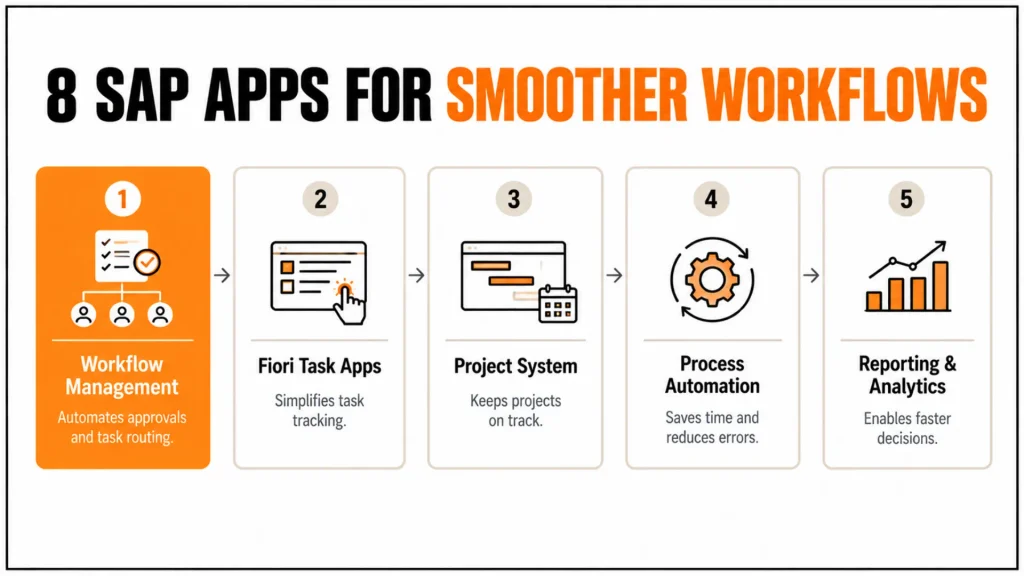
The table summarizes the eight apps and their main benefit. The sections below explain how each one works and what to check before you use it.
| SAP app | Purpose | Key benefit |
|---|---|---|
| SAP Business Workflow and flexible workflow | Approval and task routing | Fewer delays and manual follow-ups |
| My Inbox and Fiori task apps | Central task handling | Quick overview and decisions on any device |
| SAP Project System | Project timelines and resources | Projects stay on track |
| SAP Build Process Automation | Workflow, RPA and decision rules | Fewer manual errors, time saved |
| Employee self-service Fiori apps | HR requests, time recording, leave | Lower manual HR workload |
| Embedded analytics and SAP Analytics Cloud | Real-time insights | Faster, data-based decisions |
| Fiori launchpad notifications | Alerts and reminders | Fewer missed tasks |
| Spaces, pages and personalization | Role-based launchpad layout | Shorter navigation time |
SAP Business Workflow and Flexible Workflow
SAP Business Workflow routes documents and tasks to the responsible approvers according to defined rules, and in SAP S/4HANA Flexible Workflow lets key users configure approval scenarios for supported objects, such as purchase requisitions, without developer effort. Teams that approve by e-mail miss both the escalation logic and the audit trail, whereas workflow tracks each step and shows who holds the open item. For cross-system or cloud scenarios, SAP Build Process Automation on SAP BTP provides workflow capabilities as well, and it replaced the earlier SAP Workflow Management service. Consequently, follow-ups drop, and the approval status becomes visible at any time.
My Inbox and Fiori Task Apps
My Inbox collects workflow items from one or several backend systems in the Fiori launchpad, so approvers handle purchase orders, leave requests, and invoices in one list instead of several mailboxes. Users approve or reject on a desktop or mobile device, add comments, and forward tasks to a substitute, which shortens the time that tasks wait. Role-based launchpad content then shows each user only the tasks and apps that belong to the role. For SAP ECC, My Inbox requires a Gateway and front-end server setup, so check the prerequisites before you plan a rollout.
SAP Project System
SAP Project System manages project structures, deadlines, budgets, and resources, and Fiori project apps present the current status in the launchpad. Managers see budget, actual cost, and open commitments per project, so they identify delays before these delays affect milestones. Because the apps read the same data as finance, project reports match the accounting view. A consistent WBS design remains the prerequisite for all of these benefits, as explained.
SAP Build Process Automation
SAP Build Process Automation combines workflow, RPA bots, and decision rules on SAP BTP. Bots take over repetitive steps, such as copying data between files and SAP screens, while workflows route exceptions to a person, which reduces manual errors and standardizes routine processes. The service connects to SAP ECC and S/4HANA through APIs or UI automation. Bots run with technical users, so their authorizations must follow the same security concept as dialog users.
Employee Self-Service Fiori Apps
Employee self-service apps, such as My Leave Requests and My Timesheet, let employees submit HR requests in the launchpad, and managers approve them through My Inbox. This reduces the manual workload of HR staff because the data enters the system once and flows into time management and payroll-relevant records. The available apps depend on SAP HCM, HCM for S/4HANA, or SAP SuccessFactors, so confirm the scope in the SAP Fiori Apps Reference Library.
Embedded Analytics and SAP Analytics Cloud
Embedded analytics in SAP S/4HANA reads live data through CDS views, and Fiori overview pages and KPI tiles show open items, delays, and workload per team. Managers monitor workflow efficiency, for example, the average time an approval waits, and they decide faster because the figures are current. SAP Analytics Cloud adds dashboards that combine SAP and non-SAP data when a broader view is necessary. Define the KPIs before you build the dashboards; otherwise, teams dispute the numbers.
Fiori Launchpad Notifications
The Fiori Launchpad aggregates alerts and reminders, for example, a new approval request or a status change, and displays them to the user in the launchpad header. Users therefore notice important tasks without searching through e-mails, which improves accountability and reduces interruptions. For notifications across several systems, SAP Task Center on SAP BTP provides a central entry point. Notification volume still needs control, because too many alerts cause users to ignore them.
Spaces, Pages and Personalization
Spaces and pages in the Fiori launchpad organize apps by role and task, and users can personalize tiles and favorites within the limits that administrators set. Employees reach their most used apps faster, so navigation time drops. Administrators control the content through catalogs, spaces, and roles, which means personalization does not bypass authorizations. A well-designed role concept also keeps the launchpad clear when the number of apps grows.
How to Optimize SAP Apps for Better Workflows
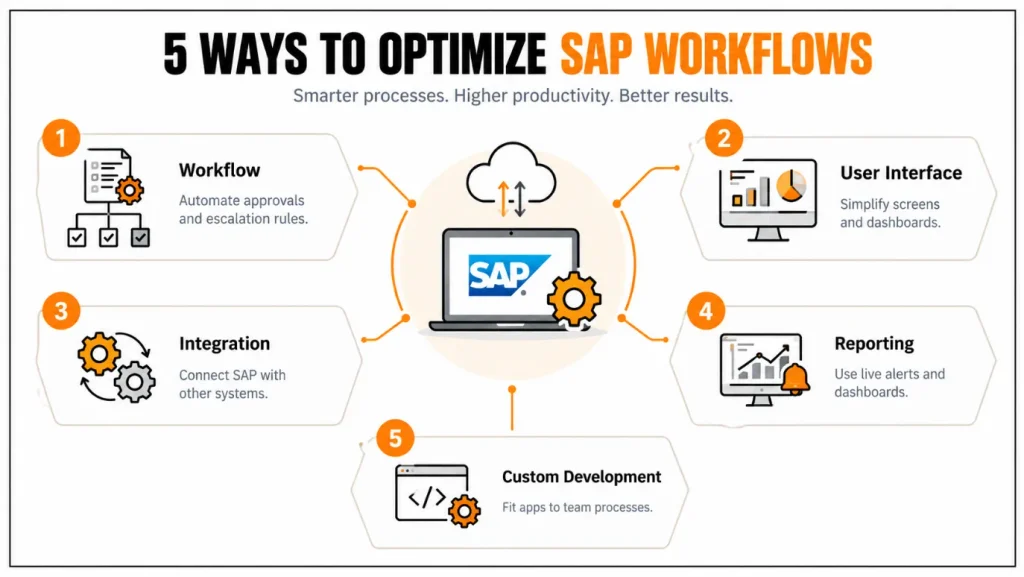
Optimization starts with the process, not with the app. The table lists five areas and the matching strategy.
| Area | Optimization strategy |
|---|---|
| Workflow | Automate approvals for low-value items within defined limits, add escalation rules and keep segregation of duties |
| Dashboard | Personalize tiles for the key figures and most used functions of each role |
| Integration | Connect SAP apps with e-mail, CRM and other systems through APIs or SAP Integration Suite |
| Reporting | Use dashboards and alerts for open task items |
| Custom development | Extend apps on SAP BTP only where standard functions do not cover the team workflow |
Governance deserves the same attention as speed. Automated approvals need clear limits and logging, and bots need technical users with minimal authorizations, so that faster workflows remain auditable.
Conclusion
SAP apps to improve workflows work best as a combination: workflow and My Inbox route and track tasks, automation removes repetitive steps, and analytics and notifications show where delays remain. Teams that activate these standard functions and measure their effect reduce manual follow-ups, shorten approval cycles, and gain a reliable view of open work.
SAP continues to extend workflow and automation on SAP BTP and to add AI assistance to the Fiori launchpad, so a clean workflow design and a clear role concept today prepare the landscape for these capabilities. Teams should therefore review their approval processes regularly and apply custom development only where standard apps fall short.
FAQs
What are SAP apps to improve workflows?
SAP apps to improve workflows are applications that automate approvals, route tasks, show open items, and reduce manual follow-ups. They include SAP Business Workflow, My Inbox, SAP Build Process Automation, analytics and self-service apps, and they work on SAP ECC, SAP S/4HANA, or SAP BTP depending on the scenario.
How do SAP apps reduce delays in approvals?
They route each request to the responsible approver, show it in My Inbox on desktop or mobile devices, and apply escalation rules when a task waits too long. The workflow log records every decision, so teams see where approvals stall and can adjust limits or substitutes to improve workflows.
Which SAP apps help most with workflow efficiency?
SAP Business Workflow, My Inbox, SAP Build Process Automation, and embedded analytics have the broadest effect, because they cover approvals, task handling, automation, and monitoring. Employee self-service and project apps add value in HR and project processes, so the best choice depends on where your delays occur.
Can SAP apps be personalized for team workflows?
Yes. Administrators configure spaces, pages, and catalogs by role, key users adapt apps through Adapt UI and custom fields, and developers build extensions on SAP BTP. Choose the lightest option that meets the requirement, because it keeps upgrades simpler and keeps SAP apps to improve workflows maintainable.
Does SAP Build Process Automation replace SAP Workflow Management?
Yes. SAP Build Process Automation includes the workflow capabilities of the earlier SAP Workflow Management service and adds RPA bots and decision rules. Check SAP’s current documentation for migration options if you still run workflows on the older service, because availability and naming change between releases.
Can workflows run in SAP ECC?
Yes. SAP Business Workflow is available in SAP ECC, and My Inbox and many Fiori apps run there with a Gateway and front-end server. The range of Fiori apps and flexible workflow scenarios is broader in SAP S/4HANA, so check the prerequisites for each app before you plan.
How do you measure workflow improvements?
Record baseline values before the rollout, such as average approval time, number of open items, and manual corrections, then compare them afterward. Workflow logs and embedded analytics supply most of these figures, which lets you prove the effect of SAP apps to improve workflows with data.
What security points matter when you automate workflows?
Keep segregation of duties in the approval rules, give bots technical users with minimal authorizations, and restrict who can change workflow definitions. Review substitute assignments regularly, because they can bypass approval limits, and log all automated decisions so that auditors can trace them.
External Resource
Read more about SAP Fiori and Launchpad:
https://en.wikipedia.org/wiki/SAP_Fiori




