

Introduction
A finance team approves invoices by email and tracks them in a spreadsheet. Meanwhile, the SAP workflow that could route them automatically remains inactive.
Similar situations occur in HR, procurement, and project teams. These teams may run SAP ECC or S/4HANA. However, they often use only a fraction of the available SAP Enterprise Apps.Training gaps and familiar habits can keep these apps unused. Weak communication between IT and business teams can also contribute. The resulting costs include delayed approvals, duplicate work, and unreliable reporting.
This article describes seven underused SAP Enterprise Apps. It explains how each app works. It also shows which release prerequisites to check before planning adoption or an extension on SAP BTP.
What Are SAP Enterprise Apps?
SAP Enterprise Apps support core business activities in finance, HR, procurement, projects, and operations.
They fall into four groups. The first includes standard apps delivered by SAP with the system. The second includes SAP Fiori apps that run in the Fiori launchpad on SAPUI5. The third includes SAP BTP-based solutions that extend the core side by side. The fourth includes custom apps built for specific business requirements.The applicable group depends on the SAP release. SAP ECC offers a smaller range of Fiori apps than SAP S/4HANA. SAP BTP adds extension and automation services to both platforms.
When teams adopt these apps in a planned way, they can save manual hours. They can also improve decision-making and shorten collaboration between departments.
Why So Many SAP Enterprise Apps Are Not Used
Most apps remain unused for organizational reasons rather than technical ones. Users may not know that an app exists. Trainers often teach only familiar transactions. IT and business teams also rarely discuss standard functions that could replace manual work.
Older SAP screens can further encourage employees to use email and spreadsheets. This can happen even when a better app is available.
Technical gaps also contribute to the problem. An app may not appear when the business catalog is missing from the role. The OData service may also be inactive. Launchpad content may not have been activated either. Employees can then assume that the function does not exist.
An adoption strategy must therefore combine communication and training with technical preparation. Role design and launchpad configuration are also important. Custom development should come last. Use it only when standard apps cannot meet specific requirements.
This is why businesses must have a well-defined SAP Enterprise Apps strategy, complemented with customised SAP development.
7 SAP Apps You May Not Know About
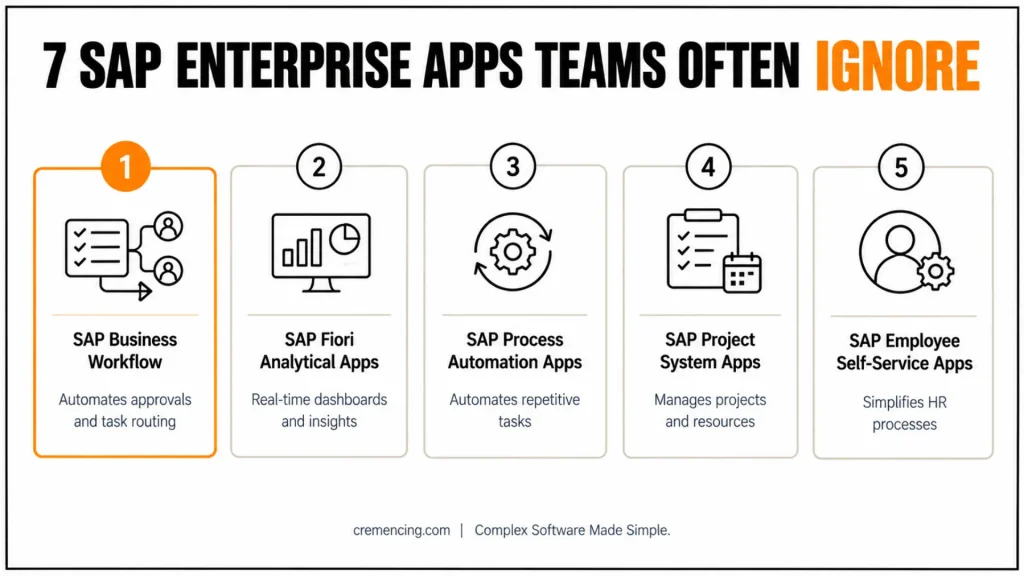
The table summarizes the seven apps, the typical reason teams ignore them and the effect of ignoring them. The sections below explain how each one works.
| SAP Enterprise App | Purpose | Why teams ignore it | Impact of ignoring it |
|---|---|---|---|
| SAP Business Workflow and flexible workflow | Approval and task routing | Assumed to be too complex | Manual follow-ups, delayed approvals |
| SAP Fiori analytical apps | Live dashboards and KPIs | Lack of awareness | Slower decisions, missed trends |
| SAP Build Process Automation | Workflow and RPA | Teams rely on manual work | Time lost on repetitive tasks and errors |
| SAP Project System and Fiori project apps | Project and resource control | Not part of daily routines | Poor project visibility |
| Employee self-service Fiori apps | HR tasks for employees | Employees keep old methods | Delayed leave approvals, payroll corrections |
| Procurement and supplier collaboration apps | Requisitions, orders, suppliers | Capabilities unknown | Longer order cycles, missed savings |
| Finance Fiori apps | Journal entries, reconciliation | Finance teams stay with GUI transactions | Reconciliation delays, reporting errors |
SAP Business Workflow and Flexible Workflow
SAP Business Workflow routes documents and tasks to the responsible approvers according to defined rules, and SAP S/4HANA adds flexible workflow, which lets key users configure approval scenarios for supported objects such as purchase requisitions without developer effort. Many teams assume that workflow requires extensive development, so they continue with e-mail approvals that offer no audit trail. Approvers decide items in My Inbox in the Fiori launchpad, and the workflow log records every decision. As a result, follow-ups decrease and approval times become measurable.
SAP Fiori Analytical Apps
Fiori analytical apps, such as overview pages, KPI tiles and multidimensional reports, read live data through CDS views in the embedded analytics of SAP S/4HANA. Managers therefore see current figures in the launchpad without waiting for a separate report run, and key users can create their own queries and tiles within their authorizations, for example with the Custom Analytical Queries app. Teams that never open these apps keep relying on exported spreadsheets, which age quickly and hide trends that live data would show.
SAP Build Process Automation
SAP Build Process Automation, which runs on SAP BTP, combines workflow, RPA bots and decision rules. Teams that copy data between spreadsheets and SAP screens can automate these steps with bots, while workflows route exceptions to a person. The service works with SAP ECC and S/4HANA through APIs or UI automation, so it also helps in landscapes that cannot change core processes. Bots use technical users, and their authorizations must follow the same security concept as dialog users.
For more insights, read our Blog on SAP Apps Optimisation
SAP Project System and Fiori Project Apps
SAP Project System manages project structures, budgets and costs, and Fiori project apps present budget, actual cost and commitments in the launchpad. Projects that run outside the daily routine lose visibility, because managers must collect status data manually from several transactions or spreadsheets. A clean WBS design is the prerequisite, since the apps only display what the structure contains.
Employee Self-Service Fiori Apps
Employee self-service apps, such as My Leave Requests and My Timesheet, let employees handle HR tasks in the launchpad instead of sending forms or e-mails. When employees stay with old methods, HR staff must re-enter data, and delayed or inconsistent absence records lead to payroll corrections. The available apps depend on whether you use SAP HCM, HCM for S/4HANA or SAP SuccessFactors, so confirm the scope in the SAP Fiori Apps Reference Library. Adoption also requires communication and a launchpad tile in the employee role.
Procurement and Supplier Collaboration Apps
SAP S/4HANA includes Fiori apps for purchase requisitions and purchase orders, and SAP Ariba supports supplier collaboration across companies. Teams that are unaware of these capabilities handle requisitions and order follow-ups manually, which extends order cycles and hides savings opportunities. SAP’s strategy for supplier collaboration centers on SAP Ariba, so verify the current scope for your release before you plan a project.
Finance Fiori Apps
SAP S/4HANA provides Fiori apps for finance tasks, such as journal entry management and bank statement reconciliation, and the Universal Journal gives these apps a single source of accounting data. Finance teams often stay with familiar GUI transactions, which keeps reconciliation steps manual and increases reporting effort at period end. Check the exact app names and prerequisites in the SAP Fiori Apps Reference Library for your release.
What Happens When Teams Ignore SAP Enterprise Apps
When teams leave enterprise apps unused, processes take longer, errors increase and employees duplicate work in e-mails and spreadsheets. These workarounds also weaken controls, because decisions made outside the system leave no audit trail, which creates risk in finance and procurement. Individually, these inefficiencies look small, but together they reduce efficiency across departments over time.
Organizations can avoid most of these problems with training, role design and targeted extensions. To prove the effect, record baseline values such as approval time and error rate before the rollout, and compare them afterward.
How to Adopt Underused SAP Enterprise Apps
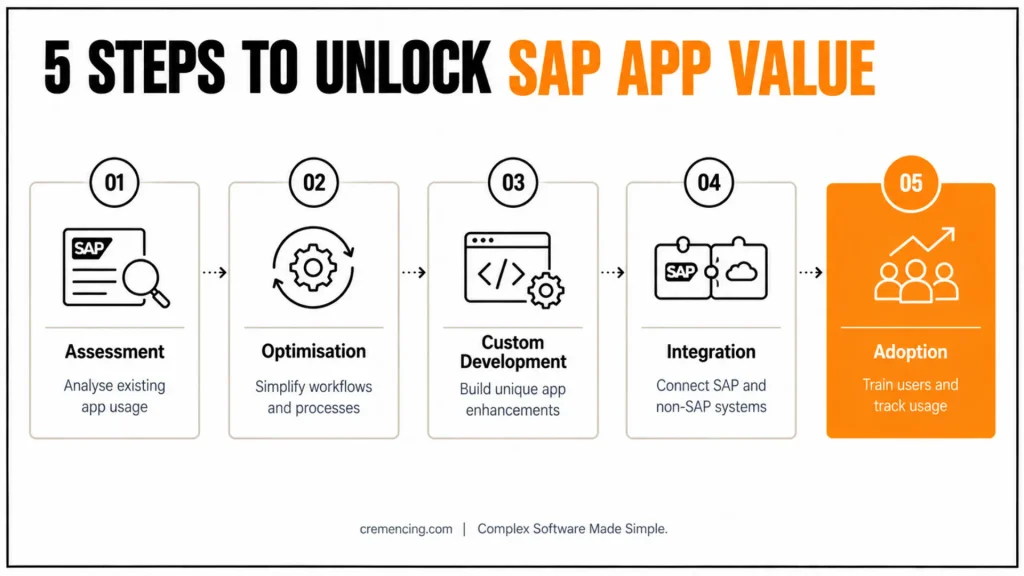
A structured adoption approach starts with facts about current usage and ends with measurable results. The table shows the five steps and the output of each one.
| Step | Activity | Output |
|---|---|---|
| Assessment | Analyze the SAP environment and app usage data | List of unused or underused apps |
| Optimization | Redesign workflows and simplify processes | Target process design |
| Development | Build add-ins or extensions where standard apps fall short | Extensions on SAP BTP or in the core |
| Integration | Connect SAP and non-SAP systems | Consistent data flow |
| Adoption | Train users and track usage | Usage and process metrics |
Teams that follow this sequence reduce friction because they extend standard functionality before they build custom solutions.
Conclusion
SAP Enterprise Apps deliver value only when users know them, when roles and launchpad content give access to them and when the business measures the result. The seven apps in this article, from workflow and analytics to finance and procurement, show that the largest gains often come from activating and adopting standard functionality instead of building new solutions.
Looking ahead, SAP continues to move extensions to SAP BTP and to add AI assistance to its applications, so a clean adoption foundation in S/4HANA and Fiori prepares teams for these capabilities. Organizations should therefore review app usage regularly, close training gaps and plan custom development only for requirements that standard apps cannot cover.
FAQs:
What are SAP Enterprise Apps?
SAP Enterprise Apps are applications that support core business activities in finance, HR, procurement, projects and operations. They include standard SAP-delivered apps, SAP Fiori apps, SAP BTP-based solutions and custom-built apps, and they run on SAP ECC, SAP S/4HANA or SAP cloud solutions depending on the scenario.
Why do teams not use SAP Enterprise Apps?
Teams usually lack awareness or training, rely on familiar workflows or work with apps that were never assigned to their roles. Weak communication between IT and business departments and limited visibility into app benefits add to the problem, so adoption planning matters as much as technical activation.
What happens when SAP Enterprise Apps stay unused?
Processes take longer, errors increase and employees duplicate work through e-mail and spreadsheets, which also weakens the audit trail. These small inefficiencies add up over time, so organizations should measure baseline metrics such as approval time and error rates before and after they introduce underused SAP Enterprise Apps.
Which SAP apps do teams overlook most often?
Teams frequently overlook SAP Business Workflow, SAP Build Process Automation, Fiori analytical apps, project apps, employee self-service apps, procurement apps and finance apps. The reason is rarely missing functionality; it is usually missing awareness, role assignment or training. Check your launchpad usage data to confirm which apps apply to you.
Can SAP Enterprise Apps be customized?
Yes. Key users adapt standard apps through Adapt UI and custom fields, while developers extend them or build side-by-side apps with SAPUI5, SAP Fiori elements and SAP BTP. Prefer the lightest option that meets the requirement, because it keeps upgrades simpler and supports the clean core approach.
How do you find out which SAP apps are unused?
Use launchpad usage data, Fiori app usage reports and, where available, SAP Solution Manager to compare assigned users with active users for each app. Apps with many assigned users but few active ones indicate a training, communication or role-design gap rather than a missing feature.
Do SAP Enterprise Apps require SAP S/4HANA?
Not all of them. SAP Business Workflow and some Fiori apps run on SAP ECC with a Gateway and front-end server, but the range of Fiori apps and embedded analytics is much broader in SAP S/4HANA. Check the prerequisites of each app in the SAP Fiori Apps Reference Library.
What role does SAP BTP play for SAP Enterprise Apps?
SAP BTP provides services for side-by-side extensions, workflow and process automation, integration and analytics. Teams use it to add missing functionality to SAP Enterprise Apps without modifying the core system, which keeps upgrades manageable and supports the clean core principle in both SAP ECC and SAP S/4HANA landscapes.




