
How to Connect RISE with SAP Private Edition on Azure Like a Pro
Posted on December 10, 2025 by Laeeq Siddique

Introduction:
The RISE with SAP Private Edition on Azure offers companies the agility and flexibility needed in today’s fast-paced digital world. It enables businesses to increase scalability, optimize operational efficiency, and accelerate business processes. By leveraging Azure’s robust and scalable cloud platform, companies can stay ahead in a competitive market.
In this post, we will show you how to connect RISE with SAP Private Edition to Azure, enabling tight integration. Whether you’re just getting started or fine-tuning a current setup, this guide covers the essential steps to success.
RISE with SAP Private Edition on Azure Explained
Moreover, RISE with SAP is a business transformation service that helps companies transition to the cloud. However it streamline processes, and improve efficiency across all business functions.
Private Edition on Azure allows companies to run SAP applications in a dedicated, secure environment, offering control, flexibility, and scalability. Meanwhile, it offers subscription-based cloud packages, including SAP S/4HANA and business process intelligence.
Azure is a trusted enterprise-grade cloud that ensures the best compatibility for applications, from SharePoint to SAP. It is backed by familiarity, end-to-end support, and performance scale. This makes it an unmatched solution for businesses seeking increased flexibility, innovation, and growth.
Prerequisites for Integration
Before integration, make sure these prerequisites are met for seamless setting up of the system:
- Confirm your Compatibility: Make sure the SAP version you are using supports Azure’s infrastructure. SAP products such as S/4HANA are optimized for cloud but still need some configurations according to your version.
- Network Configuration: Having your network configured properly is essential to leveraging the Azure infrastructure. Ensure that your enterprise firewall and network policies are in alignment with the requirements of Azure. It also allow secure connectivity and smooth communication between SAP systems and Azure.
Get RISE with SAP on Azure Ready
Azure involves several important steps to get things set up so all is implemented correctly for high performance.
Step 1: Selecting the Right Azure Region
Selecting the proper Azure region is vital in order to achieve the lowest latency and optimum performance of your SAP workload.
- Global reach: As Azure is available at various regions, choosing a region for your business or customers leads to reduced latency.
Step 2: Set up an Azure Virtual Network (V Net)
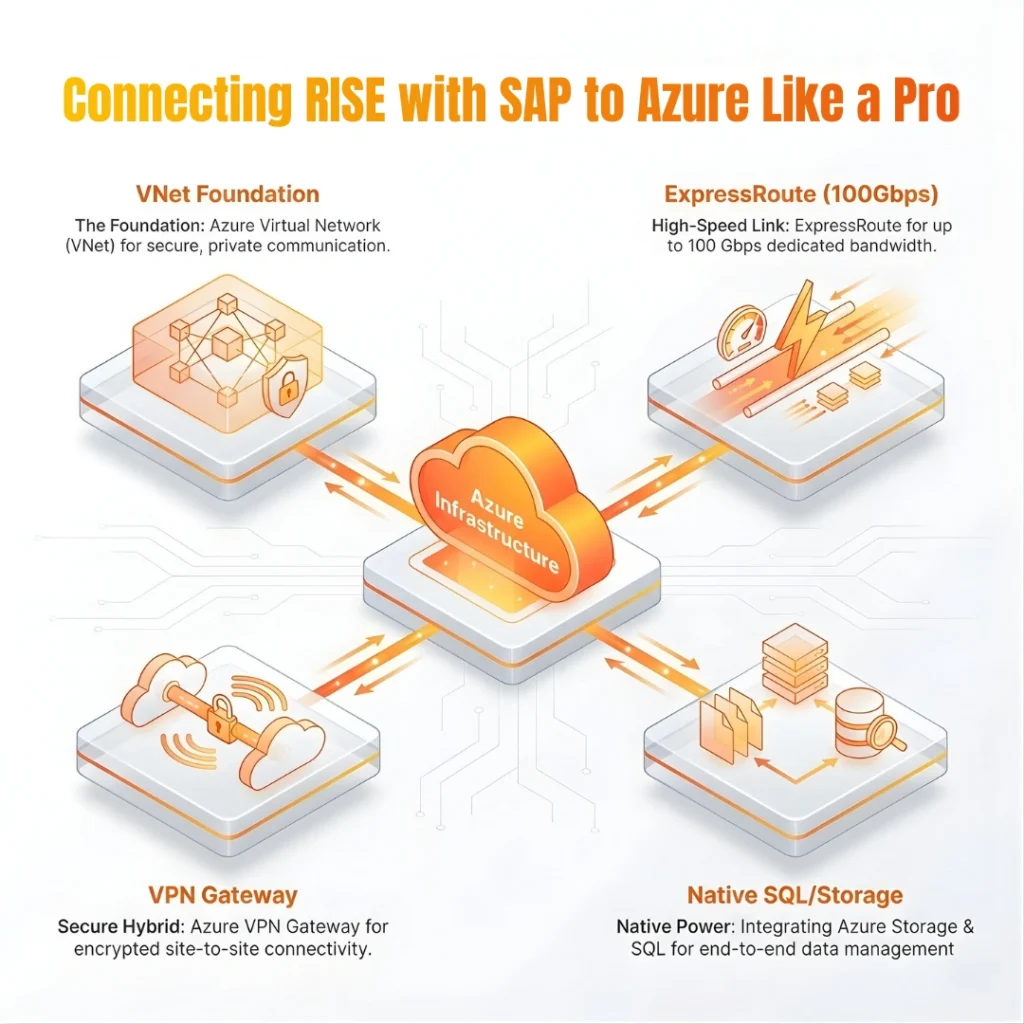
Azure Virtual Network (VNet) forms the basis for private communications between your SAP landscape and other resources in the cloud. Here’s how to configure it:
- Organize IP Subnets: Your SAP system will be based in a private subnet that won’t publicly expose your resources unnecessarily and for security reasons.
- Set up Routes and DNS: Define the routes and DNS settings to be able to communicate properly with your SAP instances from the needed Azure services.
Step 3: Use Azure-Native Services to Build and Deploy SAP Applications
Azure offers native services for SAP applications that can be used to streamline and automate deployment. It also include management and operations (including Azure Virtual Machines, Azure Storage, and Azure SQL Database). Here’s what you need to do:
- Provision Virtual Machines: Create Azure virtual machines to host SAP applications. Just choose based on how much performance and scalability you require.
- Integrate Azure Storage: Use Azure storage for large data sets of both structured and unstructured data, As well as to facilitate end-to-end data management and access.
- Azure SQL Database: If your SAP offering requires relational database integration, then you should use Azure SQL Database for your database hosting.
Configuring Network Connectivity
With your Azure topology ready, let’s create a strong and stable network connection.
- Establish ExpressRoute:
Azure ExpressRoute provides a fast, reliable connection with up to 100 Gbps bandwidth. This is ideal for data migration, disaster recovery, business continuity, and high-availability strategies like failover clustering. - Utilize Azure VPN Gateway:
For a more economic option or in the case of a hybrid cloud, Azure VPN Gateway provides secure site-to-site connectivity over the internet:
- Encrypted Connections: Encrypt data in motion between your SAP systems and other on-premises or cloud systems using VPN Gateway.
- Hybrid Integration: VPN Gateway is a great tool to securely connect your on-premises environment to the cloud if you are running in hybrid infrastructure.
- Encrypted Connections: Encrypt data in motion between your SAP systems and other on-premises or cloud systems using VPN Gateway.
Boost Security and Performance with SAP Private Edition on Azure
After you have your basic setup, you will want to optimize both the performance and security of your SAP environment.
- Deploy Azure Monitoring and Management Services
Azure provides numerous monitoring options, which allow you to monitor your system performance:
- Azure Monitor: Track the health and performance of your SAP systems with Azure Monitor to ensure they are performing well.
- Azure Log Analytics: Gather and track log data for troubleshooting, analytics, and performance monitoring.
- Azure Monitor: Track the health and performance of your SAP systems with Azure Monitor to ensure they are performing well.
- Leverage Azure Security Center
Security is critical for any solution running SAP applications. Azure Security Center adds advanced security capabilities.
- Threat Protection: Secure your SAP infrastructure from threats with Azure Security Centre.
- Compliance Standards: Actively monitor your SAP environment and verify compliance with industry standards such as GDPR, HIPAA, and more with ongoing monitoring and automatic compliance checks.
- Threat Protection: Secure your SAP infrastructure from threats with Azure Security Centre.

Testing and Validation
Run a validation before going live with RISE with SAP on Azure:
- Do Extensive Testing: Test your system end to end with load testing, performance benchmarks, and more before going live.
- Verify Data Integrity and Security: Make sure you have migrated data and integrated with the Azure services correctly. Run simulation transactions to see how the system reacts to real business processes.
Conclusion
To sum up adding RISE with SAP Private Edition on Azure to your business strategy brings unprecedented benefits. It improved scalability, better protection, and lower operational costs. Overall, by leveraging the process provided in this blog, you’ll be able to achieve a successful migration and harness most from your cloud. Azure’s strong foundation, in combination with RISE with SAP enables businesses to unlock value as well as enhance pace and agility while benefiting from a resilient, secure, and scalable infrastructure.
Cremencing Solutions is an expert in our unique business-specific custom SAP development and can support you to customize your RISE with SAP environment in Azure to suit your needs. We can help you generate digital transformation with well-tuned and optimized SAP solutions.
For more insight read our blog on SAP RISE with SAP Myths vs Facts What You Need to Know
FAQs
What is RISE with SAP Private Edition on Azure?
Exclusive focus includes: FastTrack for RISE with SAP Private Edition on Azure is a cloud offering that combines SAP S/4HANA and other SAP applications. Azure’s infrastructure to give organizations a dedicated environment to run their business in the cloud.
Why use SAP Private Edition on Azure?
Strong cloud services, elasticity, security, and performance that is what Azure stands for and why it is the perfect place to host SAP solutions. It also seamlessly integrates with various Microsoft services and tools so you have a complete cloud experience.
Can I adapt to requirements of my SAP in Azure environment?
Yes, you can personalize your RISE with SAP environment on Azure by using services such as virtual machines, storage, and SQL database from Azure.
What are the key aspects of security with Azure for SAP landscapes?
Azure Security Center, ExpressRoute, and Azure Monitor provide end-to-end protection for your security profile and compliance while deploying RISE with SAP.
How do I guarantee performance as part of RISE with SAP on Azure?
Leverage Azure Monitor, Azure Log Analytics, and Azure Security Center for ongoing performance monitoring and tuning. If you want to maintain efficiency and scalability of the system, we do regular updates and performance testing.
Resources
📩 Subscribe to Our Newsletter
Get the latest updates, tips, and insights delivered straight to your inbox.