
Introduction
The biggest mistake in learning SAP Fiori development is treating the first working screen as the finish line. Generating an application is relatively straightforward; understanding how the UI, service layer, SAP backend, authorization, and deployment fit together is what turns that generated project into a useful SAP application.
This tutorial focuses on that first development path. It walks through five practical stages using SAP Business Application Studio and SAP Fiori tools, from creating the development environment to generating an application, understanding its structure, connecting it to backend data, and testing the result.
This SAP Fiori development tutorial is suitable for beginners with little or no background knowledge. Forget about fuzzy theory, though; you taught how to create your first working app step by step.
At the end of this process, you should know how Fiori apps-scaffold works, what tools to use, and how to build a simple application from the foundation. Regardless of whether this is your initial SAP Fiori development training or you are simply exploring SAP development for the first time, this guide will assist you in getting on track with confidence.
What Is SAP Fiori Development?
SAP Fiori development is aimed at modern, role-based applications built on technologies such as UI5, OData services, and SAP Business Application Studio.
The following are some characteristics that make Fiori applications different from the traditional SAP interface:
- Simple and intuitive
- Responsive across devices
- Role-based for different users
| Area | SAP Fiori Elements | Freestyle SAPUI5 |
|---|---|---|
| UI approach | Metadata-driven floorplans | Developer-controlled UI |
| Best for | Standard business application patterns | Highly customized experiences |
| UI generation | High | Low |
| Custom UI control | More constrained | High |
| Annotations | Central | Optional depending on architecture |
| Custom controllers | Used through supported extension mechanisms | Core part of MVC development |
| Typical starting point | Fiori tools application generator | Fiori tools or SAPUI5 project |
| Development effort | Lower for supported scenarios | Higher when building UI behavior manually |
Core Components You Should Get Familiar With
- SAP UI5: Frontend framework to build the interfaces
- OData Services: Connect frontend with backend data
- Fiori Launchpad: Central Access Point for Applications
- Development Tools: BAS or Eclipse
Once you have these fundamentals down, the rest of the tutorial gets pretty simple.
Step by Step: SAP Fiori Development Tutorial
one—ConfigureStep one — Configure the development environment
Get the right tool for the job.
Recommended:
SAP Business Application Studio (BAS)
Steps:
- Create a new dev space
- Enable SAP Fiori tools
- Connect to your SAP system
The adequacy of the setup prevents any early fresh.
Step 2 — Build your first Fiori Project
Templates will help you to accelerate development.
Steps:
Select the Fiori project template
Select the type of application (List Report or Basic App)
Configure project settings
This automatically creates your app’s structure.
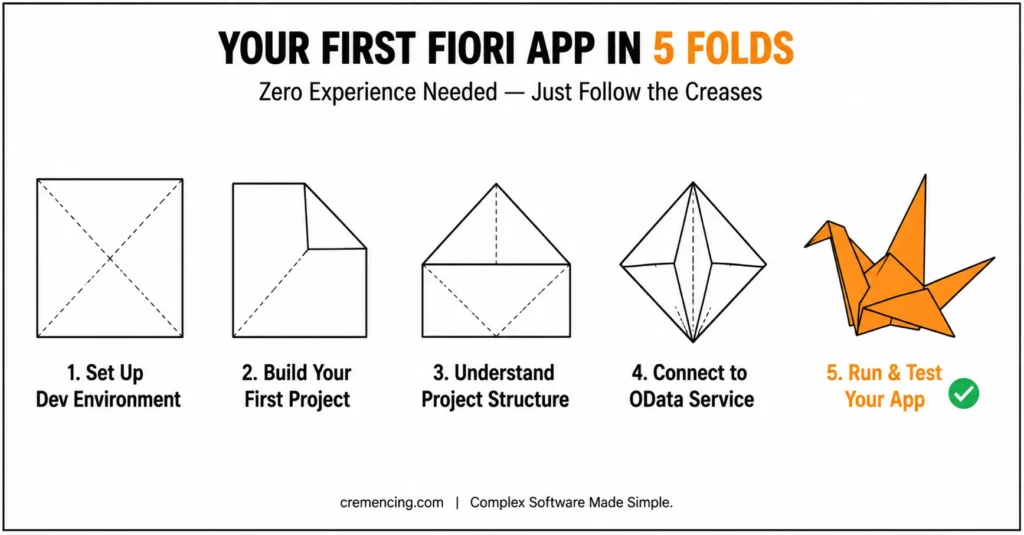
Step 3 — Understand the project structure
Before coding, explore the project.
Key folders:
- webapp: UI and views
- controller: Logic handling
- model: Data handling
Structure helps you to debug faster.
Step 4: Connection to OData Service
Your app needs data.
Steps:
- Connect to the backend OData service
- Bind data to UI elements
- Test data flow
This is what makes your app dynamic. For a backend-driven approach, see our guide to creating a SAP Fiori app from a CDS view.
Step 5: Run and Test Your App
Now test your application.
Actions:
- Run the app in preview mode
- Check UI behavior
- Fix errors
So that means you have done it, you have created your first Fiori app. If your requirement goes beyond a standard template, see our guide to SAP Fiori custom app development for the full design-to-deployment lifecycle.
The Benefits And ROI Achieved With Our SAP Fiori Development Tutorial Approach
Taking a sequential SAP Fiori development course has its benefits.
Learning Benefits
- Faster understanding of core concepts
- Reduced confusion and learning time
- Hands-on experience from day one
Career Benefits
- Top on-Demand Skills: SAP Fiori Developers
- Strong salary potential
- Opportunities in global SAP projects
Productivity Benefits
- Faster app development
- Better debugging skills
- Improved code quality
- Structured Learning Paths speed up this process for developers.
Common Mistakes for Beginners
Mistake 1: Skipping Fundamentals
Instead of jumping directly into coding, which is confusing.
Mistake 2: Ignoring Project Structure
Makes debugging difficult.
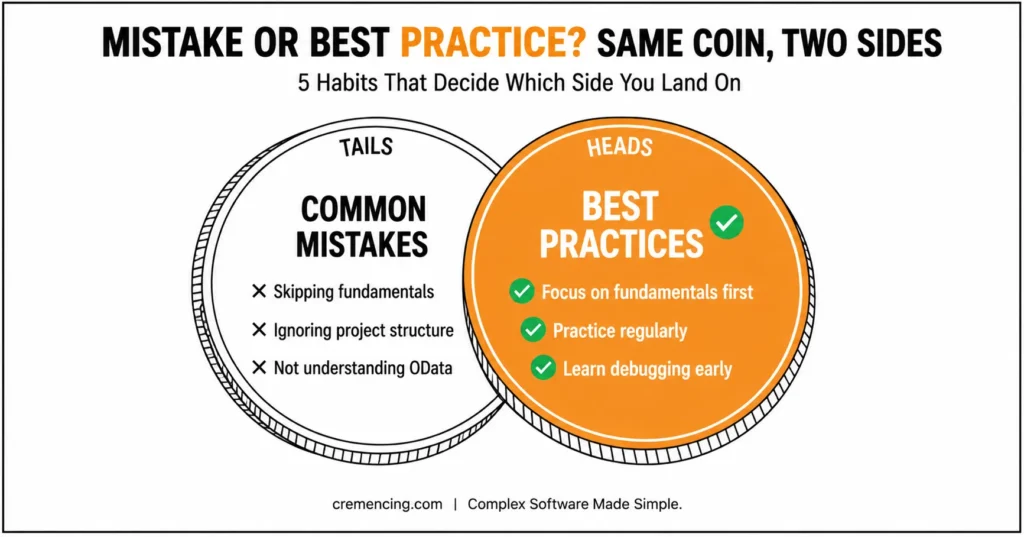
Mistake 3: Not Understanding OData
Breaks app functionality.
Mistake 4: Using the Wrong Tools
Slows down development.
Mistake 5: Over-Reliance on Tutorials
Prevents real learning.
If you need a deeper environment setup walkthrough, moreover read our SAP Business Application Studio Fiori development guide.
Production Readiness — What Tutorials Usually Skip
Before Calling Your First Fiori App “Done”
A generated application is not automatically production-ready.
Before deployment, check:
Backend integration: The service works with realistic data volumes and expected business scenarios.
Authorization: The application works for the correct business role and does not expose functionality or data to unauthorized users.
Error handling: Service failures, empty results, invalid inputs, and authorization failures produce understandable behavior.
Performance: Avoid unnecessary service calls and test with realistic datasets rather than a small development sample.
Maintainability: Keep custom logic organized and use supported extension mechanisms where applicable.
Version control: Connect the project to Git so changes can be tracked and maintained. SAP recommends connecting BAS projects to a Git repository for long-term persistence.
Deployment: Validate the actual target environment rather than assuming that a successful local preview represents a successful production deployment.
That is the difference between creating a Fiori project and developing a maintainable Fiori application.
Conclusion
Building a first SAP Fiori application starts with generating a project, but ultimately, the real development skill comes from understanding what happens after generation. First, you need to know whether you are using Fiori elements or freestyle SAPUI5. Additionally, you should understand how the application reaches backend services. Furthermore, project configuration controls the UI in ways that aren’t always obvious. Finally, authorization, testing, and deployment all affect the final result, so it’s important to consider each of these factors carefully.
The five-step workflow in this tutorial gives you a practical starting point: configure BAS, generate the appropriate application, understand its structure, connect the required service, and test the complete flow.
Once that foundation works, move beyond tutorial-sized applications. Build a small business scenario, debug real service failures, test with realistic data, and learn how the application fits into the SAP Fiori launchpad. That progression will teach you considerably more than simply generating another sample project.
FAQ
SAP Fiori Development Tutorial
It is an organized manual for a step-by-step learning guide on creating SAP Fiori applications.
Is learning SAP Fiori a difficult task for beginners?
At the end of the practice, even a beginner can do it.
Tools used in SAP Fiori development
SAP Business Application Studio and Eclipse.
When will I have my first app ready?
Just by following this guide, you could create a simple app within a few hours.
How to start SAP Fiori development training?
Learn the basics, implement small projects, and then make them more feasible over time.
What is the difference between SAP Fiori and SAPUI5?
SAP Fiori describes the user experience and application design approach, while SAPUI5 is a JavaScript-based UI framework commonly used to build SAP Fiori applications.
Do I need SAP ABAP knowledge to develop SAP Fiori apps?
Not always. Frontend development can be performed with SAPUI5 and Fiori tools, but understanding ABAP, backend services, authorization, and SAP data models becomes important when integrating applications with SAP backend systems.
Should I use SAP Fiori elements or freestyle SAPUI5?
Use Fiori elements when a supported floorplan matches your business requirement and you want a metadata-driven approach. Use freestyle SAPUI5 when the application requires more control over the user interface and interaction behavior.





One Response