

Introduction
Many teams connect each new cloud application directly to SAP through a custom interface. However, after a few projects, nobody can clearly identify which systems depend on each connection. This mistake is particularly common in hybrid landscapes, where SAP ECC or S/4HANA runs alongside SAP SuccessFactors, SAP IBP, and non-SAP cloud applications. Consequently, point-to-point interfaces increase maintenance effort, create hidden security gaps, and slow down every change request.
To address these challenges, SAP cloud integration based on SAP Integration Suite replaces scattered connections with a managed and monitored approach. In addition, this article explains the architecture patterns, security controls, governance, and performance practices that enterprise teams need. Finally, it provides a step-by-step approach to planning an effective integration landscape.
Understanding Cloud Integration SAP
What is Cloud Integration SAP?
SAP cloud integration connects SAP cloud applications with other cloud applications and on-premise systems. As a result, data and processes flow across the hybrid landscape without manual transfers. In current SAP landscapes, SAP Integration Suite on SAP BTP provides the central capabilities for this task. These include Cloud Integration for message processing, API Management for API publication and control, Open Connectors for third-party applications, and Integration Advisor for interface design. Additionally, it offers event capabilities such as SAP Event Mesh.
Older material, however, still uses the name SAP Cloud Platform Integration (CPI), which SAP renamed when it introduced SAP BTP. With this approach, enterprises can run legacy and cloud-native applications side by side because the middleware handles differences in protocols and data formats between them.
Why do enterprises need cloud integration?
- Agility: Cloud adoption means faster uptake of new technology and market behavior.
- Streamlined processes: Less repetition means better workflow.
- Innovation: Enables new technologies like AI, IoT, and advanced analytics.
- Scalability: Organizations can add more CPU, memory, and storage as needed.
As a result, companies using SAP cloud integration can stay competitive in a rapidly shifting digital market.
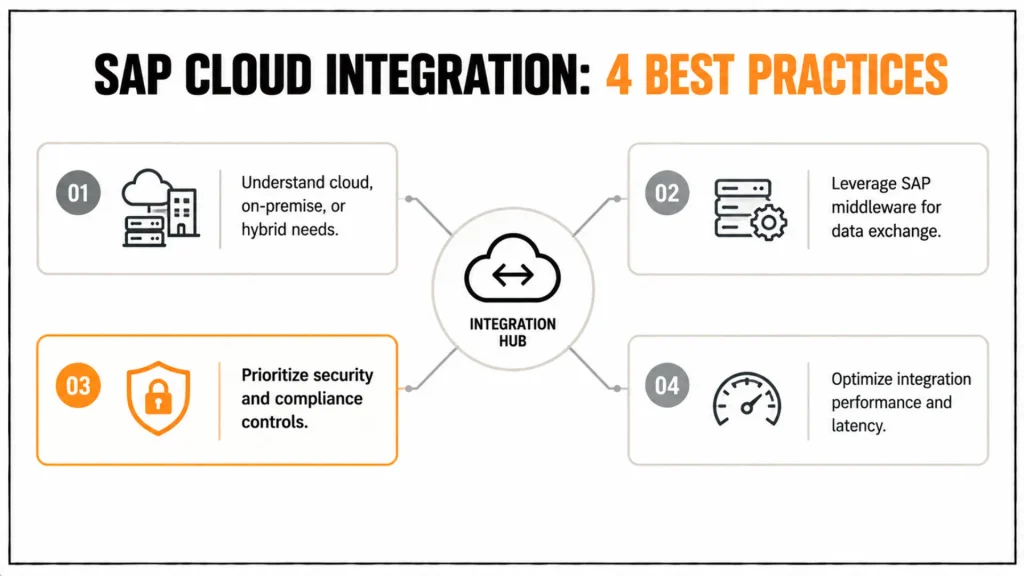
How SAP Cloud Integration can make everything easy for you
- Understand Integration Needs: First, determine whether your company needs cloud, on-premises, or hybrid integration. Based on these requirements, customize your integration approach accordingly.
- Leverage SAP Middleware: Next, use products like SAP Cloud Platform Integration (CPI) to exchange data between systems. Additionally, CPI offers prebuilt integration content, which helps teams get up and running quickly.
- Prioritize Security & Compliance
Enforce tight controls around sharing sensitive data between SAP and non-SAP applications.
Data Security Checklist:
- Use end-to-end encryption.
- Apply role-based access controls.
- Audit integration processes regularly.
- Optimize for Performance: Finally, monitor latency, data rate, and response time. As a result, your system keeps performing at its best.
Architecture Patterns for Enterprise
Hybrid integration links on-premise systems with cloud applications. As a result, enterprises can maintain control over established systems, such as SAP ECC with its IDoc and RFC interfaces, while using cloud services where flexibility matters. Moreover, this approach avoids a forced choice between stability and innovation. It also supports a gradual move to SAP S/4HANA because interfaces built on the middleware layer continue to work even when the backend changes. The following table, therefore, compares the four patterns that enterprises commonly combine in practice.
| Pattern | Typical SAP components | Best fit |
|---|---|---|
| Point-to-point | Direct RFC, SOAP or OData calls | A single, stable connection with a low change rate |
| Hub / middleware | SAP Integration Suite, Cloud Integration | Several systems that need transformation and monitoring |
| API-led | SAP Integration Suite, API Management | Controlled access for internal and external consumers |
| Event-driven | SAP Event Mesh, advanced event mesh | Real-time reaction to business events |
Hybrid Integration Approach
Microservices-Based Integration
Microservice architecture splits an application into independent services. By exposing these services through managed APIs, SAP integration becomes more flexible because teams can deploy and scale each service independently. Consequently, updates affect only the changed service, reducing downtime for business-critical systems while supporting DevOps and continuous delivery practices. On SAP BTP, side-by-side extensions in the Cloud Foundry or Kyma environment follow this model. At the same time, the core system remains clean.
Advantages:
- Independent updates and deployments.
- Minimized downtime of Key Business systems.
- Compliant with DevOps and CD practices.
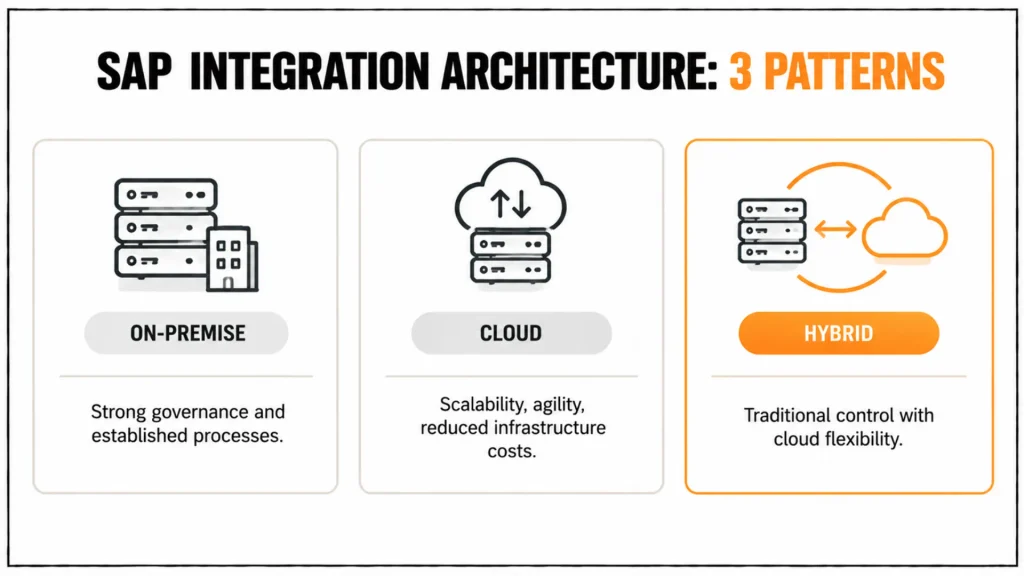
SAP Integration Governance and Compliance
Proper governance is an essential part of the success of integration projects. To integrate with cloud SAP, organizations need to establish:
- API Lifecycle Management to manage the lifecycle of integration endpoints.
- Compliance Monitoring (aligned to GDPR, HIPAA or regional requirements).
- Audit Trails to ensure accountability and transparency.
Governance-as-a-code secures and governs integration strategies.
Performance Optimization Strategies
- Load Balancing: Spread work among servers to ensure availability.
- Caching: Enhance the latency to return on frequently used data.
- Be Proactive: Monitor the system using real-time dashboards.
- Capacity Planning: Plan on scaling capacity ahead of the forecasted usage.
Performance tuning provides the guarantee of completion for the integration project.
Real-Life SAP Integration Examples
- Supply Chain: Connecting suppliers and logistics providers for real-time updates with SAP Event Mesh.
- Finanz: Integration von SAP IBP zur Automatisierung der Planung und zur besseren Sichtbarkeit des Cashflows.
- HR: SuccessFactors integration with payroll to manage the workforce better.
Together, these scenarios show how SAP integration patterns can drive efficiency in individual departments.
Cloud Integration SAP’s Outlook on the Future
In the future, need for cloud integration will change. Trends include:
- Automatic Integration with AI: Applying machine learning to automate common integration activities.
- Event-Driven Architectures: Reacting to business events in real-time.
- Low-Code/No-Code Solutions: Using business users to build integrations.
- Composable Organisations: Creating modular organisations that can evolve quickly to respond to new opportunities.
Overall, these advancements will make cloud integration more strategic and easier to adopt.
Checklist to Success in SAP Cloud Integration Step by Step
- Define business integration goals.
- Establish a map of the existing IT and ERP landscape.
- Select integration architecture (cloud, on-premises, and hybrid).
- Use SAP middleware, CPI or Integration Suite.
- Apply governance and compliance frameworks.
- Test performance and security rigorously.
- Measure constantly and tune the service regularly.
Conclusion
SAP cloud integration works best as a managed architecture. In this approach, SAP Integration Suite provides the middleware, APIs, and events, while SAP Cloud Connector secures access to on-premise systems. Additionally, governance ensures that interfaces remain documented and compliant. By choosing integration patterns based on specific scenarios rather than building point-to-point connections, enterprises gain agility and scalability while reducing maintenance effort.
Looking ahead, SAP continues to extend SAP Integration Suite with event capabilities, AI assistance, and low-code options. Meanwhile, customers still running SAP Process Orchestration need to plan their migration. Therefore, a clean integration foundation today supports both the move to SAP S/4HANA and the adoption of new cloud services.
FAQs Section
What are SAP cloud integration best practices?
First, define each integration scenario and use SAP Integration Suite instead of point-to-point code. Additionally, secure connections with TLS and OAuth, and monitor messages from the start. At the same time, establish governance for APIs and naming conventions, then test performance with realistic data volumes. By following these practices, enterprises can keep SAP cloud integration maintainable as the number of interfaces grows.
What is hybrid integration and how does it help?
Hybrid integration connects on-premise systems, such as SAP ECC, with cloud applications through a middleware layer and SAP Cloud Connector. As a result, enterprises can keep established systems stable while adopting cloud services. Furthermore, this approach supports a gradual move to SAP S/4HANA without requiring them to rebuild every interface.
Which architecture patterns are common in SAP integration?
Common patterns are point-to-point, hub-based middleware, API-led and event-driven integration. Hybrid landscapes usually combine them: middleware for transformation and monitoring, APIs for controlled access, and events for real-time scenarios. Choose by change frequency, volume and number of connected systems.
Is SAP Cloud Platform Integration (CPI) the same as SAP Integration Suite?
CPI is the former name of the Cloud Integration capability. Today, SAP delivers it as part of SAP Integration Suite on SAP BTP, alongside API Management, Open Connectors, Integration Advisor, and event capabilities. Therefore, new projects should follow the current naming and documentation to avoid outdated guidance.
Why is governance important for SAP cloud integration?
Governance keeps interfaces secure, documented and compliant. It covers API lifecycle management, naming conventions, ownership, audit trails and data protection rules such as GDPR. Without it, teams build duplicate interfaces, and nobody can say who changed an integration flow, which slows audits and incident analysis.
How do you secure the connection between SAP BTP and on-premise systems?
Use SAP Cloud Connector to open an outbound tunnel and expose only explicitly approved resources of the on-premise system. Additionally, combine it with TLS, OAuth or client certificates, and role-based authorizations for integration artifacts. Regularly review certificates and credentials, as expired ones can cause many integration failures. Therefore, keeping these security controls up to date helps maintain reliable integration.
What trends will shape SAP integration?
AI-assisted design, event-driven architectures, low-code integration tools and composable enterprise architectures will shape future SAP integration. These trends depend on well-governed APIs and events, so teams should build a clean integration foundation now and verify roadmap details on SAP’s official channels.