
Introduction:
Most beginners assume this is just “old SAP report code” — a language for writing reports and little else. That assumption is wrong, and it’s costly: developers who treat it in this way keep writing outdated procedural extensions long after SAP moved toward CDS views, RAP, and cloud-ready patterns. Today, it is the backbone of S/4HANA application logic, not a relic of ECC-era reporting.
What is ABAP really, then? It’s the backbone of S/4HANA application logic, not a relic of ECC-era reporting.
It is SAP’s proprietary programming language for building, extending, and integrating SAP systems. It enables developers to implement business rules, process data consistently, and interact safely with SAP transactions. While historical ECC patterns exist, it’s modern development focuses on S/4HANA tools, CDS views, RAP, and ADT workflows.
Recent Trends in Modern ABAP
SAP now embeds Joule AI inside Eclipse ADT to generate CDS views and RAP code automatically. Clean core guidelines now mandate Cloud rules for both S/4HANA Cloud and on-premise builds. Developers are rapidly replacing legacy procedural code with modern RAP-based OData services.
What Is ABAP and Why Does It Matter
This language is more than a programming language; it is the core of SAP application logic. Developers use it to access SAP data, enforce business rules, and, moreover, integrate processes consistently across the system. Indeed, no external script can replicate the SAP application server’s transactional and authorisation behaviour.
Originally designed as a reporting language, it has evolved to support:
- Object-oriented classes and methods
- Interfaces for system integrations via RFC, IDoc, and OData
- CDS views for database abstraction and HANA push-down logic
- RAP business objects for Fiori transactional applications
- Background job and batch processing frameworks
- Forms such as Smart Forms, SAPscripts, and Adobe Forms
- Released APIs and cloud-ready extensions in S/4HANA
Real-world use cases include automated invoice validation, custom sales order enhancements, mass financial postings, and integrations with external systems. Understanding it beyond reports is essential to avoid technical debt and ensure maintainable solutions.
How does ABAP work?
ABAP executes centrally on the SAP application server. First, you write this code; then, you save it to the repository, activate it, and execute it — thereby ensuring business rules, authorizations, and transactional consistency are enforced.
Add real T-code reference: “Use SE38 or SE80 (ECC-era) or ADT (S/4HANA) to write and activate this code; activation-time syntax checks catch errors before runtime, unlike interpreted scripting languages.
Key responsibilities of ABAP runtime:
- Syntax and semantic validation at activation
- Authorization checks
- Database abstraction via SQL
- Lock management with enqueue/dequeue services
- Update tasks and transaction consistency
- Background job scheduling
- Memory management for internal tables
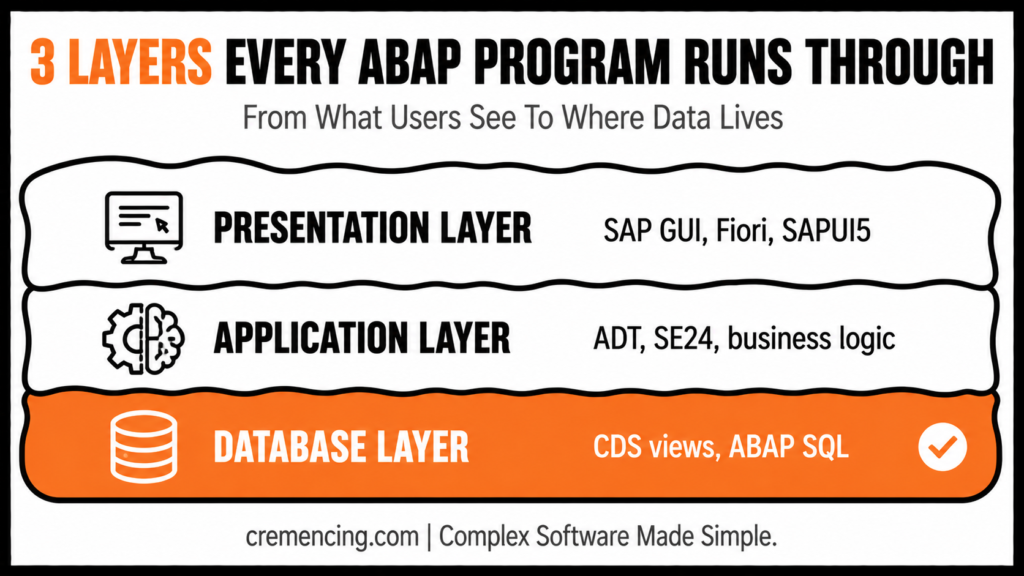
Three-layer architecture:
| Layer | Responsibilities | Tools/Usage |
| Presentation | SAP GUI, Fiori, APIs | SAP GUI, SAP Fiori, SAPUI5 |
| Application | Executes its logic & business rules | ADT, SE24 for classes |
| Database | Business & repository data | CDS views, ABAP SQL |
Activation errors prevent invalid code from running, unlike scripts that fail at runtime, thereby protecting production systems.
Modern Development Tools: S/4HANA Focus
- S/4HANA: ADT (Eclipse-based IDE) supports modern ABAP syntax, CDS views, RAP, cloud-ready development, and ABAP Test Cockpit (ATC).
- Historical ECC context (brief): ECC developers used SE38 and SE80 to generate procedural reports and navigate objects.
Focus on ADT and modern S/4HANA practices to align with cloud-ready, clean-core principles.
Memory, Internal Tables, and HANA Optimization
Internal tables are used for temporary datasets in memory:
- Select only required columns — avoid SELECT *.
- Push filtering and aggregation to the database layer (CDS views / AMDP).
- Avoid nested SELECTs inside loops.
ECC workflows often process data on the application server, whereas S/4HANA emphasizes HANA push-down to optimize performance.
Transport Layer and Landscape Management
- ABAP objects are transported via CTS.
- S/4HANA adds considerations for CDS, RAP, and cloud-safe transports.
- Validate code using ATC for clean-core and cloud readiness.
Use SE09 or SE10 (Transport Organiser) to manage transport requests; for CDS and RAP objects, ensure cloud-safe transport settings are validated via ATC before release to production.
Explore the right order to learn it
Practical Code Walkthrough
Classic S/4HANA ABAP Report
REPORT z_abap_demo.
DATA: ls_client TYPE t000.
SELECT SINGLE mandt, mtext
FROM t000
WHERE mandt = @sy-mandt
INTO CORRESPONDING FIELDS OF @ls_client.
IF sy-subrc = 0.
WRITE: / ‘ABAP demo executed successfully.’,
/ ‘Client:’, ls_client-mandt,
/ ‘Text:’, ls_client-mtext,
/ ‘User:’, sy-uname,
/ ‘Date:’, sy-datum,
/ ‘Time:’, sy-uzeit.
ELSE.
WRITE: / ‘No client record found for:’, sy-mandt.
ENDIF.
Object-Oriented Example (S/4HANA)
CLASS lcl_client_info DEFINITION.
PUBLIC SECTION.
METHODS display_client_info.
ENDCLASS.
CLASS lcl_client_info IMPLEMENTATION.
METHOD display_client_info.
TRY.
DATA(ls_client) = VALUE t000( ).
SELECT SINGLE mandt, mtext
FROM t000
INTO CORRESPONDING FIELDS OF ls_client
WHERE mandt = @sy-mandt.
WRITE: / ‘Client:’, ls_client-mandt,
/ ‘Text:’, ls_client-mtext.
CATCH cx_sy_open_sql_db INTO DATA(lx_sql).
WRITE: / ‘SQL Error:’, lx_sql->get_text( ).
ENDTRY.
ENDMETHOD.
ENDCLASS.
START-OF-SELECTION.
NEW lcl_client_info( )->display_client_info( ).
When to Use ABAP vs. When NOT To
| Scenario | Use it | Avoid it when |
| Custom SAP report | SAP data + business rules | A standard Fiori app/analytics view exists |
| S/4HANA extension | Released APIs, CDS, RAP, clean core | Unreleased cloud objects |
| UI development | Backend logic | SAPUI5 / Fiori Elements handles frontend |
| System integration | Expose or consume stable SAP APIs | Middleware orchestrates systems |
- Reports/enhancements → Classic ABAP + ADT
- Transactional Fiori apps → RAP
- Analytical/query exposure → CDS views
- System integration → Released APIs / OData
- Legacy ECC objects → SE38/SE80 (avoid new development here)
Modern ABAP Mastery Checklist
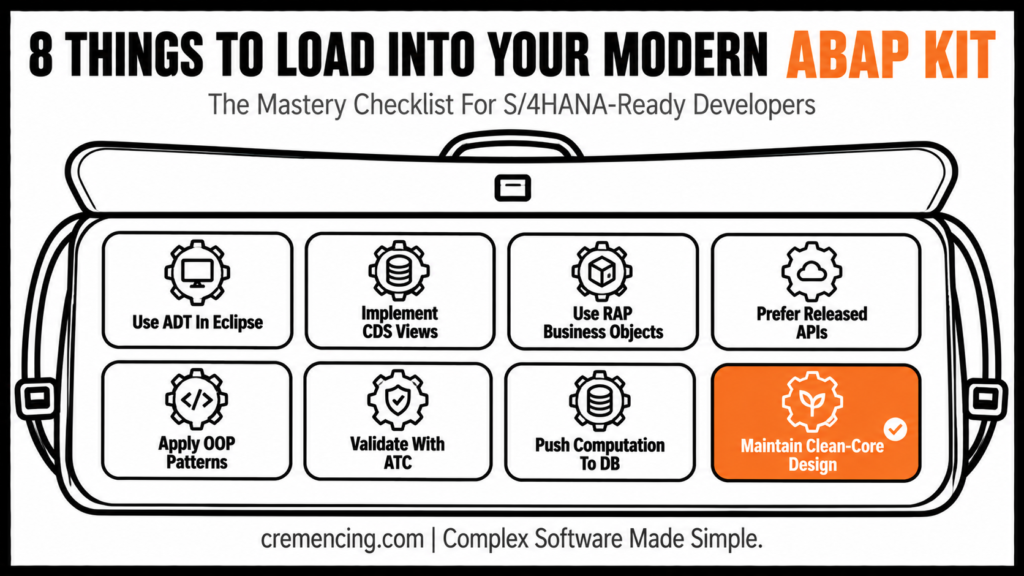
- Use ADT in Eclipse for S/4HANA
- Implement CDS views for database optimization
- Use RAP business objects for transactional apps
- Prefer released APIs over direct table access
- Apply object-oriented patterns with exception handling
- Validate with ATC and transport checks
- Push computation to the database layer for HANA
- Maintain clean-core design and modularity
Conclusion
ABAP was never just a reporting language, and treating it that way is what leads to unmaintainable, upgrade-unsafe code. The real shift isn’t abandoning it — it’s mastering its modern form: ADT over SE38, CDS views over direct table reads, RAP over custom transactional logic. Developers who make that shift write code that survives S/4HANA upgrades instead of breaking them.
Frequently Asked Questions
How can I start with SAP ABAP?
First, learn its syntax, internal tables, ABAP SQL, and debugging. Then, for S/4HANA: ADT, CDS, and RAP.
Which SAP course should I take first?
Start with SAP navigation, data dictionary basics, and ABAP fundamentals; then, add CDS, ADT, and RAP for S/4HANA roles.
What is RAP in ABAP?
RAP, in other words, is the ABAP RESTful Application Programming Model — used for transactional apps, APIs, and Fiori services in S/4HANA.
What is ABAP Cloud?
In short, ABAP Cloud means cloud-ready extensions that are upgrade-safe, limited to released APIs, and, moreover, enforce clean-core principles.
What is it used for?
Overall, ABAP is used for reports, enhancements, interfaces, forms, classes, APIs, batch jobs, CDS, and RAP; however, S/4HANA favours ADT, CDS, RAP, and cloud-safe APIs.
Is it still relevant with S/4HANA and cloud adoption?
Yes — in fact, ABAP remains core to S/4HANA development, now centered on CDS views, RAP, and released APIs rather than classic reports.
What’s the difference between ABAP and ABAP Cloud?
ABAP Cloud, on the other hand, restricts development to released, upgrade-safe APIs and enforces clean-core principles, whereas classic ABAP allows direct table and object access common in ECC.
Do I need to learn classic ABAP before S/4HANA ABAP?
Not strictly — many new developers start directly with ADT, CDS, and RAP, though understanding classic patterns helps when maintaining legacy ECC code.
What tools replace SE38 and SE80 in S/4HANA?
ADT (ABAP Development Tools for Eclipse), specifically, is the primary modern IDE, supporting CDS views, RAP, and ABAP Test Cockpit checks.
Can it integrate with non-SAP systems?
Yes — indeed, through RFC, IDoc, OData, and released APIs, ABAP can expose or consume services for external system integration.




