

Authored by Mr. Laeeq Siddique — Leading SAP S/4HANA Innovation & Strategy
At first, SAP user onboarding can look like a simple administrative task. However, every new employee may require separate approvals, access requests, training coordination, notifications, and documentation. When these activities move through emails and spreadsheets, even a routine onboarding request can turn into a series of manual handoffs.
That was the challenge facing the client in this SAP user onboarding transformation. Their existing process relied heavily on manual coordination, creating delays, errors, and limited visibility across the teams responsible for getting new users ready for SAP.
Client’s Problem:
SAP user onboarding can become difficult to manage when approvals, access requests, training, and documentation depend on emails and spreadsheets. That was the challenge facing the client. Their existing onboarding process relied heavily on manual coordination, which created delays, errors, and limited visibility across the teams involved.
The problem was not simply the number of onboarding tasks. It was the number of handoffs required to complete a single request. For example, a typical process could involve a supervisor submitting the request, finance and HR validating information, an approver reviewing it, IT managing SAP access, and another team coordinating training. However, because these activities were handled separately, no single workflow provided a complete view of the request status.
Key Challenges in the Manual SAP Onboarding Process
This fragmented process created several operational challenges:
- Time-consuming manual processes: Finance teams manually updated approval workflows, making the process labor-intensive and increasing the risk of errors.
- Lack of centralized control: Teams struggled to track onboarding requests, approvals, role assignments, and training activities across separate systems and records.
- Delayed communication: A missing approval or incomplete request could hold up downstream activities and require additional follow-ups between departments.
- Limited transparency and visibility: Teams had to piece together the history of an onboarding request from emails, spreadsheets, and individual records, making it difficult to see the complete status of each request.
The client therefore needed more than a way to reduce emails. They needed a centralized SAP onboarding workflow that could connect approvals, access-related activities, training, notifications, documentation, and offboarding within a structured process.
In practice, manual onboarding workflows can delay employee productivity and create additional administrative work, particularly when approvals, role assignments, and training activities move through separate channels. As a result, replacing email-based requests with automated, Fiori-based governance through CS OnBoard can help reduce role-assignment errors, support Separation of Duties (SoD) checks before access provisioning, and shorten approval cycles.
Similarly, we observed challenges like these in our CS TerminalShip case study, where manual processes in shipment and delivery management led to operational bottlenecks.
To overcome these challenges, to address these issues, the client needed a solution that could automate and optimize the entire SAP onboarding workflow. While ensuring seamless communication between departments.
Solution: Automating SAP User Onboarding with CS onBoard
Cremencing Solutions designed and implemented CS onBoard as a custom SAP solution that centralizes user onboarding, approvals, training, role requests, and offboarding workflows.
This solution automates the entire SAP user onboarding process to enhance accuracy and speed. Our team tailored this innovative solution to eliminate inefficiencies, enhance transparency, and ensure a seamless onboarding experience. CS OnBoard uses the SAP Fiori experience to give supervisors and managers a centralized interface for initiating and tracking onboarding activities.
Key Features for Streamlined SAP User Onboarding
| Area | Previous Process | CS onBoard Approach |
|---|---|---|
| Request initiation | Email and spreadsheets | Centralized onboarding request |
| Approval | Manual coordination | Structured approval workflow |
| Role requests | Manually communicated | Routed through defined workflow |
| Training | Separate coordination | Integrated training request and notifications |
| Documentation | Manually maintained | Automated document generation/archival |
| Status tracking | Limited visibility | Centralized workflow status |
| Offboarding | Manual coordination | Structured offboarding workflow |
| Communication | Multiple emails | Automated notifications |
| Audit visibility | Fragmented | Centralized request history |
How CS onBoard Transformed SAP User Onboarding
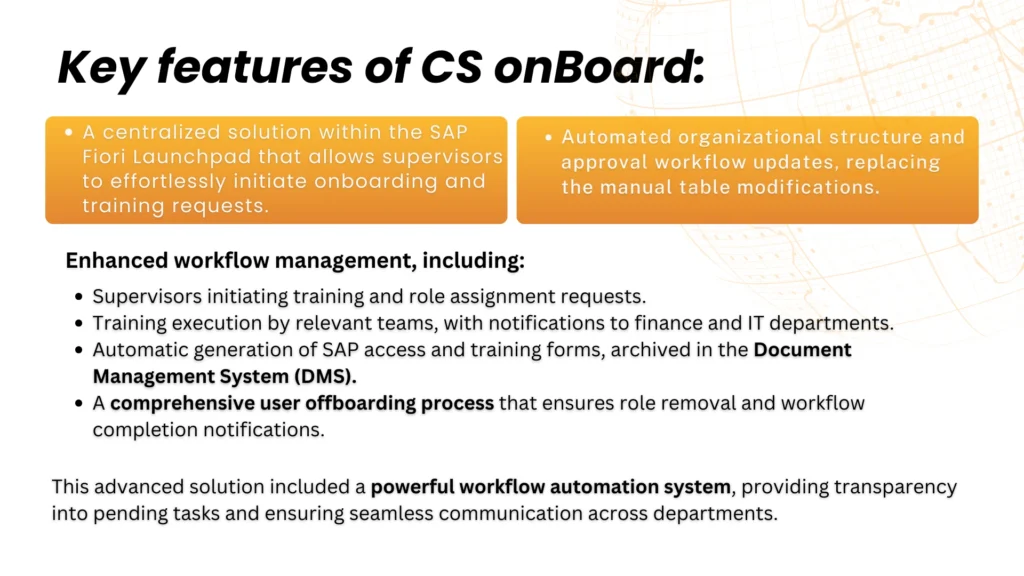
- Centralized Management within SAP Fiori Launchpad
CS OnBoard provides a single platform where supervisors can initiate and track onboarding and training requests effortlessly. This eliminates the need for multiple emails and spreadsheets, ensuring all requests are handled systematically. - Automated Organizational Structure and Approval Workflow Updates
Previously, updating workflows required manual intervention. CS OnBoard automates approval workflow updates and keeps the relevant teams informed as requests move through each stage. - Supervisor-Initiated Training and Role Assignment Requests
CS onBoard routes role-assignment requests through an approval workflow before the responsible SAP or security administrator applies the appropriate access in the target SAP environment. - Streamlined Training Execution with Departmental Notifications
Furthermore, the solution automates training execution by sending notifications to the relevant teams, including finance and IT. This ensures that every department involved in the process is informed and can take appropriate action without delays. - Automatic Generation and Archival of SAP Access and Training Forms
CS OnBoard automatically generates SAP access credentials and training forms. Consequently, the system archives these document management system. - Comprehensive User Offboarding Process
Similarly, offboarding is just as critical as onboarding. CS OnBoard revokes roles and access permissions in a structured manner. Moreover, the system also sends workflow notifications to relevant departments to confirm process completion. - Enhanced Workflow Management with Transparency and Communication
CS onBoard’s built-in workflow automation system enhances transparency by providing real-time insights into pending tasks. Employees and managers can easily track progress, reducing the risk of miscommunication and missed deadlines.
Final Product:
We built a fully automated onboarding and workflow system
CS OnBoard implementation delivered a seamless and highly efficient onboarding process for the client. Automation replaced manual workflows. This led to better efficiency, accuracy, and user experience
For insights into how we streamlined shipment and delivery management, explore our case study on Optimizing Shipment
With CS onBoard, the client now benefits from:
- Effortless management of onboarding, training, and offboarding processes: HR and IT teams can handle user onboarding and access management without the need for constant manual intervention.
- Reduced errors and delays: Thanks to end-to-end automation, The system now executes approval workflows with precision., minimizing human error.
- Efficient task routing and notifications: The system automatically assigns every request and approval to the appropriate personnel, ensuring that workflows are completed smoothly and efficiently.
- Scalability for future growth: Moreover, CS onBoard is designed to adapt as the organization grows, making it a future-proof solution for expanding enterprises.
Conclusion:
In a world where digital transformation is no longer optional, businesses that continue to rely on manual processes risk falling behind. CS onBoard is a testament to how automation can revolutionize SAP user onboarding, making it more efficient, error-free, and transparent.
By implementing a centralized, automated system, the client was able to save valuable time, reduce operational costs, and improve overall productivity. The impact of CS onBoard extends beyond just efficiency it also enhances compliance, security, and user experience.
If you’re struggling with SAP user onboarding inefficiencies, CS onBoard can help automate and streamline the process. Explore how CS onBoard can help you achieve a seamless and efficient process. CS onBoard improved compliance and boosted staff satisfaction during the onboarding transformation.
Frequently Asked Questions
1. What is SAP user onboarding?
SAP user onboarding is the process of creating and preparing user access in an SAP environment. It can include request submission, approvals, role assignment, access provisioning, training, notifications, and documentation.
2. Why is manual SAP user onboarding difficult to manage?
Manual onboarding often relies on emails, spreadsheets, and separate departmental processes. As a result, teams can lose visibility into request status, approvals, ownership, and outstanding tasks.
3. How can SAP user onboarding be automated?
Organizations can automate onboarding by connecting request submission, approvals, role-assignment activities, training notifications, documentation, and other lifecycle tasks through a centralized workflow.
4. How does CS onBoard simplify SAP user onboarding?
CS onBoard centralizes onboarding requests and coordinates the activities involved in the process. Instead of managing each task separately, teams can follow a structured workflow with defined responsibilities and status tracking.
5. How are SAP roles handled during user onboarding?
Role-assignment requests can move through an approval workflow before the responsible SAP or security administrator applies the appropriate access in the target SAP environment.
6. Can SAP onboarding workflows involve multiple departments?
Yes. For example, a workflow can involve supervisors, HR, finance, IT, SAP administrators, security teams, and training teams. A centralized process can coordinate the activities and notifications required from each department.
7. Can SAP user onboarding include employee training?
Yes. Training activities can form part of the onboarding workflow, allowing responsible teams to receive notifications and track training-related tasks alongside access and approval activities.
8. How does automated SAP onboarding improve visibility?
A centralized workflow can show the current status of a request, its responsible owner, pending approvals, and next actions. Therefore, teams do not need to search through separate emails and spreadsheets to reconstruct the request history.
9. Can SAP user onboarding automation support offboarding?
Yes. An SAP user lifecycle process can also include offboarding activities such as access and role-removal requests, departmental notifications, approvals, and completion tracking.
10. Can SAP onboarding automation reduce manual errors?
It can help reduce errors by replacing disconnected manual steps with standardized workflows, defined responsibilities, and structured approval processes. However, the actual reduction depends on how the workflow and SAP authorization controls are configured.




