
Introduction
Most organizations have invested in SAP Fiori to get a new, modern, intent-based, simplified user experience. But one hurdle becomes immediately apparent right away: finding the appropriate applications is not as easy as it looks.
SAP Fiori apps are ubiquitous across functions, with thousands of applications at your fingertips in the SAP Fiori apps library. News Software 101 is based on the observation that without a comprehensive plan, teams spend too much time finding and choosing appropriate software, which leads to delays, incorrect implementation, and unused systems.
This is why it is very important to know how the SAP Fiori library apps ecosystem works.
In this guide, you will get an understanding of how the SAP Fiori apps library works, why it is so hard to find exactly the right apps, and how you can systematically identify, evaluate, and implement the relevant applications for your business needs.
What Are SAP Fiori Library Apps
SAP Fiori library apps – All the SAP Fiori apps in the SAP Fiori apps library
This consolidative platform offers extensive details on:
- App functionality and purpose
- Technical requirements
- SAP systems supported (including for ECC and S/4HANA)
- Implementation details
- Configuration steps
The SAP Fiori App library reference guides technical and functional teams.
Apps can be broadly categorized into several types:
- Transactional apps for business operations
- Reporting and insights with analytical apps
- Fact sheet apps to enhance data visibility
There are also dedicated libraries for particular modules, like:
- SAP MDG Fiori apps library
- SAP TM Fiori apps library
These variations add complexity, but also create flexibility.
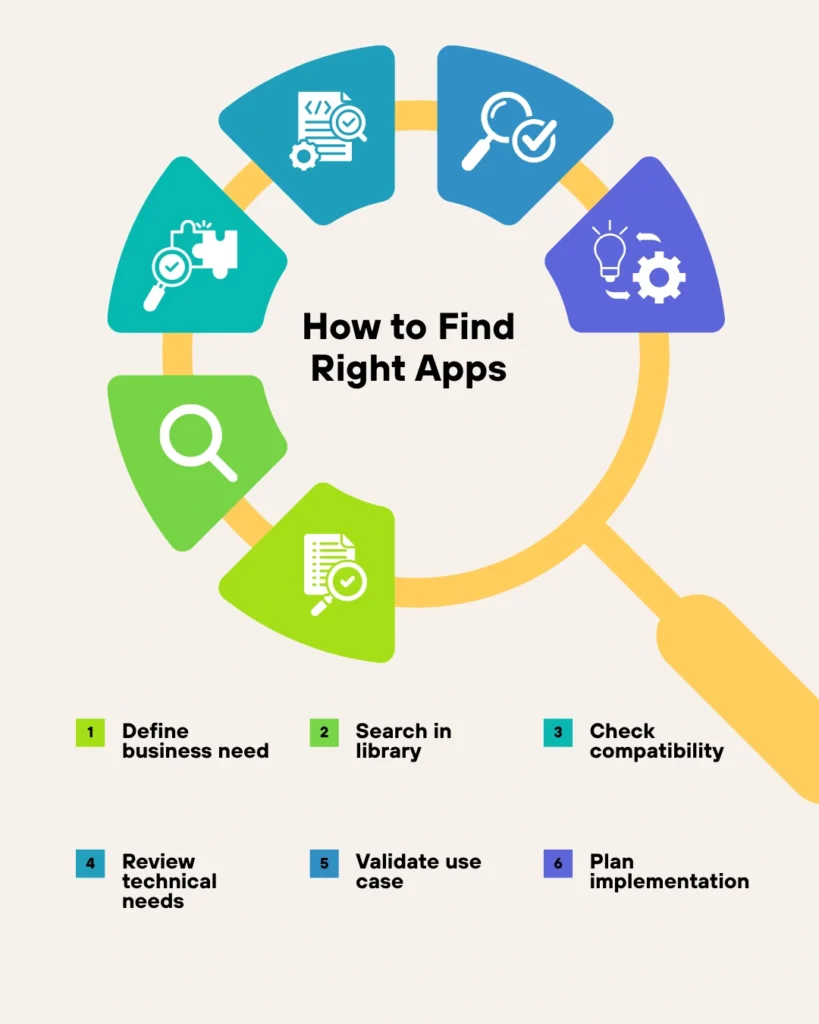
Step-by-Step Process to Find Your Apps in the Library
Step 1 – Define Business Requirements
Start by identifying:
- Business processes that need improvement
- User roles and responsibilities
- Key operational challenges
Clarity is key — without it, choosing an app becomes a haphazard endeavor.
Step 2 – Leverage SAP Fiori Apps Library
Visit the demo or live SAP Fiori apps library.
Search using:
- Business role
- Application type
- SAP module
This narrows this down to relevant apps.
Step 3 – Verify App Compatibility
Verify whether the app supports:
- SAP ECC or S/4HANA systems
- Required enhancement packs
- Backend configurations
This is run on by organizations still running SAP ECC.
Step 4 – Check Technical Prerequisites
Each app includes:
- Required components
- UI5 dependencies (per UI5 apps library)
- OData services
Not doing so results in failures to implement.
Step 5 — Validate Use Case
One, make sure that the app solves a real business problem.
For example:
- My Inbox Phone app for workflow approvals
- Finance apps for reporting
Do not choose apps based solely on features.
Step 6 — Implementing the Plan
Once selected:
- Configure backend services
- Activate required components
- Test functionality
Proper planning reduces rework.
Advantages and ROI of Implementing SAP Fiori Library Applications
Measurable outcomes are achieved by leveraging SAP Fiori library apps.
Key Benefits
- Increase the productivity of users by up to 30–40%
- Simplify complex SAP transactions
- Intuitive interfaces look and feel user-friendly
- Reduce training time
Business Impact
- Faster decision-making
- Improved process efficiency
- Better adoption of SAP systems
- Reduced operational errors
Organizations that use the SAP Fiori apps library in a strategic manner receive a higher return on their SAP investment.
Pitfalls of SAP Fiori Apps Library
Too many teams suffer from easily avoidable errors.
Common Mistakes
- Choosing apps without a clear understanding of the business need
- Disregarding SAP ECC Compatibility
- Not reviewing technical dependencies
- Overloading users with unnecessary apps
- Skipping testing and validation
Best Practices
- Ensure app selection is aligned to business objectives
- Validate technical requirements early
- Use role-based app deployment
- Focus on user experience
- Continuously optimize app usage
Avoiding these common pitfalls leads to a smoother deployment.
Where Most Teams Lag Behind
Most guides tell you how to use the SAP Fiori apps library, but not why teams fail to do so.
The Real Problem
The problem is not with the library itself — it’s that there is no structured selection strategy.
What Competitors Miss
- Role-based app mapping
- Integration with existing processes
- Long-term app governance
Key Insight
You will see how successful organizations consider SAP Fiori apps library not just a catalog but rather a strategic tool.
They focus on:
- Business outcomes
- User adoption
- Continuous optimization
It gives you better results.
What is the process for selecting SAP Fiori apps that suit your business needs?
Our professionals will help you find, implement, and optimize Fiori applications based on real business cases. For more insight, read it: SAP Fiori Catalog
Conclusion
SAP Fiori library apps, whilst providing rich functionality, can be overwhelming without a systematic and strategic approach to finding the right fit for your requirements.
Most organizations that view the SAP Fiori apps library as simply a catalog face challenges in making selections and lasting implementations. Conversely, organizations that align app selection with business needs achieve better outcomes.
If you take a step-by-step approach, along with identifying requirements, validation, and avoiding pitfalls, this will help drive you to better success in bringing value from SAP Fiori.
The challenge is not simply finding apps — it’s finding the right ones.
FAQ Section
What is the SAP Fiori apps library
It is basically a central place to offer information to users on available SAP Fiori applications.
SAP Fiori apps library tcode
It’s a library that is accessed online via SAP tools and portals, so there is no single t-code.
SAP Fiori Apps would not be used with ECC?
So, yes some apps are there for ECC according to the system configuration.
How to find the SAP Fiori apps library demo?
SAP offers accessible demo environments and the official platform for online access.
What is the SAP Fiori app library reference?
It is the documentation that guides users on how to use app features and where the requirements are.