

Knowing how to record a transaction in SHDB does not mean you know BDC. That is the mistake many ABAP interview candidates make.
A real BDC question often starts where the recording ends: Why does the same program work in mode A but fail in mode N? Why does sy-subrc show success when the expected document is missing? What happens when a table control changes, an authorization differs, or an ECC transaction no longer represents the S/4HANA business process?
This guide focuses on those situations. It covers 25 ABAP BDC interview questions around BDCDATA, SHDB, CALL TRANSACTION, session processing, update modes, message handling, screen flow, production troubleshooting, and the decision between BDC and modern SAP interfaces. The examples are aimed at ABAP developers working with ECC 6.0 and SAP S/4HANA on-premise or private-edition environments.
You should know how a dialogue transaction moves through screens and how ABAP internal tables work. You also need access to transaction SHDB, which records a transaction’s dynpro sequence, and transaction SM35, which lists, processes, and analyzes batch input sessions.
Step 1: Build the Foundation for ABAP BDC Interview Questions
These first ABAP BDC interview questions establish whether you understand what Batch Data Communication actually does. A good answer should connect the definition to transaction validation, screen processing, and technical field mapping.
1. What is BDC in SAP ABAP?
For ABAP BDC interview questions, define BDC as Batch Data Communication, also called “batch input.” It supplies values to SAP transaction screens in the same sequence expected by the dialogue program, allowing large or repetitive data loads to use the transaction’s standard checks and update logic.
BDC is not a direct database upload. The transaction still controls field validation, authorisations, messages, and document creation, which is why SAP ABAP BDC interview questions often ask what happens when the screen flow changes.
2. How does BDC preserve standard transaction validation?
BDC executes the target transaction and submits dynpro fields, cursor positions, and function codes. The transaction’s Process Before Output, Process After Input, field checks, application logic, and authorization checks still run.
That protects business consistency better than direct table updates, but you still need message handling and business-object verification.
3. What information does a BDCDATA row contain?
A BDCDATA row represents either a new screen or one field value. For a screen row, PROGRAM, DYNPRO, and DYNBEGIN identify the dialog program and dynpro; for a field row, FNAM contains the technical field name and FVAL contains the input value. The table is sequential, so a correct field on the wrong dynpro or in the wrong order can break the recording.
| Area | CALL TRANSACTION | Session Method |
|---|---|---|
| Execution | Immediate | Deferred |
| Main API | CALL TRANSACTION ... USING | BDC_OPEN_GROUP / BDC_INSERT / BDC_CLOSE_GROUP |
| Monitoring | Program-controlled | SM35 session/log monitoring |
| Error handling | BDCMSGCOLL + application logging | Session log + correction/reprocessing |
| Restart model | Must be designed by the program | Built into session processing workflow |
| Best fit | Immediate processing and controlled loads | Large/deferred loads requiring operator review |
| Key risk | Custom recovery and logging | Session management overhead |
4. What do BDC_DYNBEGIN, BDC_CURSOR, and BDC_OKCODE do?
BDC_DYNBEGIN marks the beginning of a new screen entry. BDC_CURSOR identifies the field that should receive the cursor, which can affect table-control behavior and screen logic.
BDC_OKCODE sends the function code for an action such as Enter, Save, Back, or a table-control command. Never claim that /11 is always the save code; use the function code captured for the target transaction and GUI status.
5. How do you identify the program, dynpro, field name, and function code?
Run transaction SHDB, which records the screens and values used during a manual transaction. Create a recording, execute the business transaction with representative data, save the recording, and review each dynpro and field entry.
You can also use technical information on a field to confirm the program, screen, and field name. The strongest ABAP BDC interview questions mention that SHDB does not capture every user interaction, so the recording still requires review.
Step 2: ABAP BDC Interview Questions on Execution Methods
The next ABAP BDC interview questions test whether you can separate execution timing, display behavior, update-task behavior, logging, and restart options. Many weak answers mix these concepts together.
6. What is the difference between CALL TRANSACTION and the session method?
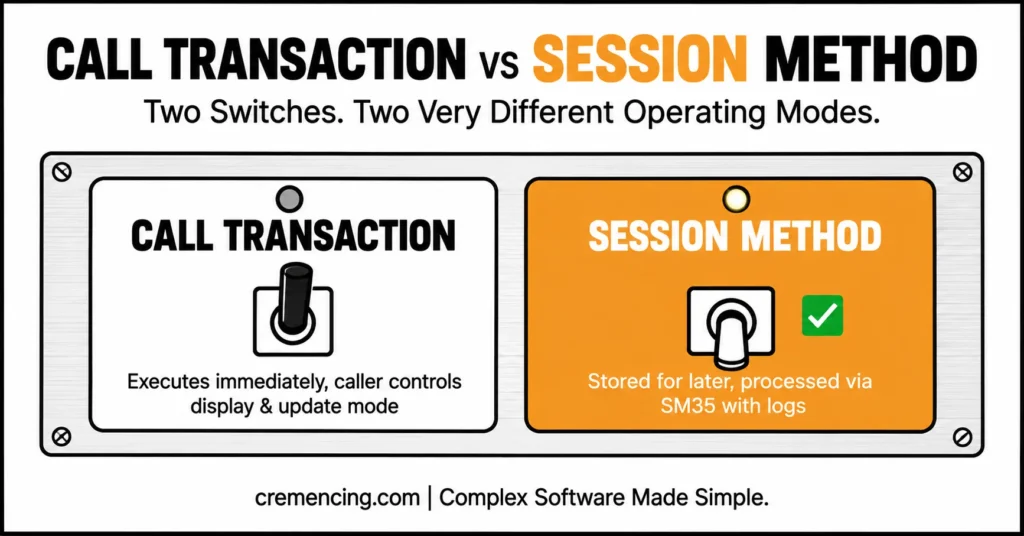
In ABAP BDC interview questions, explain that CALL TRANSACTION … USING executes the transaction immediately inside the current program. The caller controls the display mode, update mode, and message collection, which makes it suitable when the program needs an immediate result.
The session method stores transactions with BDC_OPEN_GROUP, BDC_INSERT, and BDC_CLOSE_GROUP. A user or job processes them later through SM35, with logs and reprocessing support.
7. When would you choose the session method?
Choose a session when you need deferred processing, detailed logs, restart capability, or controlled correction of failed records. It suits large periodic uploads where an operator must review errors and reprocess only the failed transactions.
Choose CALL TRANSACTION for immediate processing when the program owns its audit log and recovery design. Operational support requirements matter more than volume alone. Explore IDoc interview questions.
8. What do processing modes A, E, and N mean?
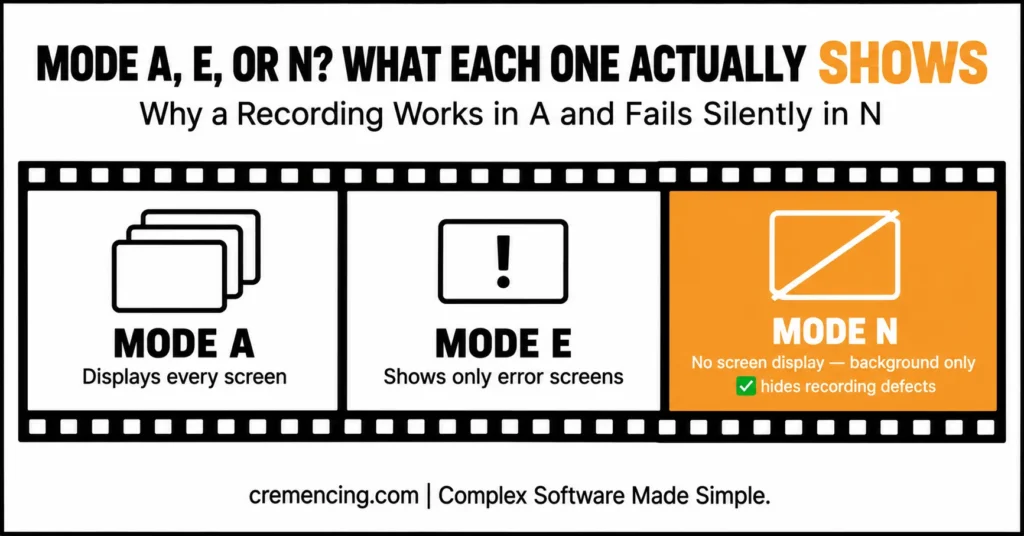
Mode A displays every screen. Errors alone trigger a screen in Mode E, which helps functional analysis while avoiding successful screens. Background-style processing typically relies on Mode N, which suppresses screen display entirely.
9. What is the difference between update modes A, S, and L?
Update mode A uses asynchronous update processing, so the transaction can return before all update tasks finish. Mode S waits for synchronous update completion, which makes result checking easier for many upload programs.
Mode L performs local update processing in the current work process. These update modes are separate from display modes; saying that the session method is “synchronous” and CALL TRANSACTION is “asynchronous” is technically incomplete.
10. Why can mode A work while mode N fails?
Mode A can hide a recording defect because the developer sees a popup, presses Enter, or waits for a screen update manually. Mode N provides no such intervention.
Check warning popups, missing defaults, cursor-dependent table controls, variable screen sequences, and authorizations. Debug with mode E and inspect collected messages instead of adding delays.
| Topic | Remember |
|---|---|
| SHDB | Record transaction screen flow |
| SM35 | Process and monitor batch-input sessions |
MODE 'A' | Display all screens |
MODE 'E' | Display errors |
MODE 'N' | No screens |
UPDATE 'A' | Asynchronous |
UPDATE 'S' | Synchronous |
UPDATE 'L' | Local update |
BDCMSGCOLL | Capture transaction messages |
sy-subrc | Technical return code — not business verification |
CTU_PARAMS-DEFSIZE | Standard screen-size execution |
| S/4HANA | Check for supported API/process before choosing BDC |
Step 3: ABAP BDC Interview Questions on Coding and Errors
These ABAP BDC interview questions test whether you can turn a recording into maintainable code, capture every result, and retain enough context to reproduce a failure.
11. How do you build a reusable BDCDATA helper?
Create one helper for screen rows and one for field rows. Always clear the work area before reuse, and skip optional fields only when blank input should truly mean “do not send this field.”
DATA: gt_bdcdata TYPE STANDARD TABLE OF bdcdata,
gs_bdcdata TYPE bdcdata.
FORM bdc_dynpro USING iv_program TYPE sy-repid
iv_dynpro TYPE sy-dynnr.
CLEAR gs_bdcdata.
gs_bdcdata-program = iv_program. ” Dialog program from SHDB
gs_bdcdata-dynpro = iv_dynpro. ” Dynpro number from SHDB
gs_bdcdata-dynbegin = ‘X’. ” Start a new screen block
APPEND gs_bdcdata TO gt_bdcdata.
ENDFORM.
FORM bdc_field USING iv_fnam TYPE bdc_fnam
iv_fval TYPE bdc_fval.
CLEAR gs_bdcdata.
gs_bdcdata-fnam = iv_fnam. ” Technical field or BDC_OKCODE
gs_bdcdata-fval = iv_fval. ” Value recorded for this screen
APPEND gs_bdcdata TO gt_bdcdata.
ENDFORM.
12. How do you execute CALL TRANSACTION and collect messages?
A practical answer to ABAP BDC interview questions declares the message table before execution and uses MESSAGES INTO. For a critical document load, synchronous update mode usually makes technical result checking clearer, but confirm the transaction’s update design before treating it as a universal rule.
PARAMETERS: p_tcode TYPE tcode DEFAULT ‘XD01’,
p_mode TYPE c LENGTH 1 DEFAULT ‘N’,
p_update TYPE c LENGTH 1 DEFAULT ‘S’.
DATA: gt_msg TYPE STANDARD TABLE OF bdcmsgcoll,
gv_subrc TYPE sy-subrc.
CALL TRANSACTION p_tcode
USING gt_bdcdata
MODE p_mode
UPDATE p_update
MESSAGES INTO gt_msg.
gv_subrc = sy-subrc. ” Preserve the technical return code for the log
The transaction code is only an example. In SAP S/4HANA, customer and supplier creation often follows Business Partner processes, so do not reuse an old ECC recording without confirming the target application.
13. Why is checking only sy-subrc unsafe?
sy-subrc reports the technical outcome of CALL TRANSACTION, not the full business result. A transaction can issue warnings, create no document, trigger an update failure, or return a success message that does not contain the expected object number.
A reliable program evaluates BDCMSGCOLL, records the update mode, preserves the source key, and verifies the resulting business object. That separates memorized ABAP BDC interview questions from project experience.
14. How do you convert BDC messages into readable text?
Use the message ID, type, number, and variables returned in BDCMSGCOLL. Store both the technical components and the formatted text because translated message text can change while the technical key remains stable.
DATA: gs_msg TYPE bdcmsgcoll,
gv_text TYPE string.
LOOP AT gt_msg INTO gs_msg.
CLEAR gv_text.
MESSAGE ID gs_msg-msgid
TYPE gs_msg-msgtyp
NUMBER gs_msg-msgnr
WITH gs_msg-msgv1 gs_msg-msgv2
gs_msg-msgv3 gs_msg-msgv4
INTO gv_text. ” Build readable text in the logon language
WRITE: / gs_msg-msgtyp,
gs_msg-msgid,
gs_msg-msgnr,
gv_text.
ENDLOOP.
15. How do you retain and reprocess failed source records?
Assign every input row a stable source key before processing. Save the original values, transaction code, processing mode, update mode, timestamp, user, sy-subrc, and all BDC messages in an application log or custom error table.
Reprocessing should select failed source keys and rebuild BDCDATA from stored business input. Do not reuse an old screen sequence blindly.
Step 4: ABAP BDC Interview Questions on Screen Flow
These ABAP BDC Interview Questions expose whether the candidate has debugged an actual upload. Recording limitations and table controls cause more production failures than the basic CALL TRANSACTION syntax.
16. What does transaction SHDB do?
SHDB records a dialogue transaction and shows the sequence of programs, dynpros, fields, values, cursor positions, and function codes. It can also generate a program template from the recording.
Treat generated code as a starting point: replace test values, map source data, validate mandatory fields, handle messages, and test multiple user roles.
17. Which actions does the recorder not capture reliably?
The recorder does not capture every interaction a user performs. F1 and F4 help usage, scrollbar movement, system-menu actions, and some warning or error dialogs do not become ordinary BDCDATA entries.
Dynamic screen flow or LEAVE TO TRANSACTION can also make BDC unsuitable. Inspect the dialogue logic instead of assuming the recording is complete.
18. How do you process table controls with more rows than the screen displays?
For ABAP BDC interview questions, describe the table-control field pattern captured by SHDB, fill only visible rows, issue the recorded scroll command, and continue with the next block. Keep a separate visible-row counter and reset it after scrolling.
Screen size can change visible-row counts. CTU_PARAMS-DEFSIZE may reproduce standard dimensions, but you must still test the actual table-control behaviour.
19. Why does a recording break after an upgrade or customizing change?
BDC depends on screen contracts: program names, dynpro numbers, field names, function codes, mandatory fields, popups, and screen sequence. An upgrade, support package, business-function activation, or customizing change can alter any of them.
Re-record in the target release, compare both flows, review simplification changes, and test with the production role. Never guess new screen numbers. BDC isn’t your only option for mass data handling — see how LSMW compares as a migration tool and where each one still fits in a live S/4HANA project.
Step 5: ABAP BDC Interview Questions on S/4HANA Architecture
Modern ABAP BDC Interview Questions should test interface selection, not just legacy syntax. BDC remains available in SAP S/4HANA on-premise and private edition, but availability does not make it the preferred option for every new integration.
20. Is BDC still available in SAP S/4HANA?
Yes, Batch Input remains documented and usable in current SAP S/4HANA on-premise and private-edition ABAP Platform releases. Existing BDC programs can continue where the target transaction and screen flow remain valid.
S/4HANA data-model changes, Business Partner conversion, Fiori-first processes, and released API rules can make an ECC recording unsuitable. Revalidate the process and interface.
21. When should you choose a BAPI or released API instead of BDC?
In modern ABAP BDC Interview Questions, choose a released business API or BAPI when it supports the required operation and lifecycle. An API provides a defined programmatic contract and avoids dependence on dynpro numbers, GUI status, screen size, and user-interface changes.
Use BDC only when no supported interface fits, the transaction is stable, batch execution is suitable, and the project accepts the maintenance risk.
22. What makes a transaction unsuitable for BDC?
Avoid BDC when the transaction requires unpredictable user decisions, frequent popup branches, unsupported control interactions, frontend file dialogs, F4-dependent values, or a changing screen sequence. Also avoid it for a process that already has a supported API or standard migration application.
A midway commit can also create partial results before a later screen fails.
23. Can BDC support near-real-time integration?
It can execute immediately through CALL TRANSACTION, but that does not make it a good near-real-time integration contract. Screen simulation creates tight coupling to dialog behavior and complicates idempotency, monitoring, retries, and external error contracts.
For ongoing integration, prefer released APIs, IDocs, events, or supported services. Reserve BDC for controlled loads or legacy gaps.
Step 6 ABAP BDC Interview Questions from Production
The final ABAP BDC interview questions combine debugging, authorizations, update behaviour, and S/4HANA migration. Answer them as an investigation sequence, not a list of guesses.
24. A background BDC returns success, but no document exists. What do you check?
A strong answer to ABAP BDC interview questions starts by inspecting every BDCMSGCOLL entry instead of trusting the last status-bar message. Confirm the update mode, check update failures in transaction SM13, which displays terminated update requests, and search the application log if the transaction writes one.
Then verify that the message contains the expected document number, confirm the document in the business application or supported data source, and compare the background user’s authorizations, language, date format, decimal notation, and default values with the dialogue user.
25. A working ECC BDC fails after S/4HANA conversion. What do you check first?
Start with the business process, not the code. Determine whether the old transaction still represents the supported S/4HANA process, whether a standard migration object or released API now exists, and whether data-model simplification changed mandatory values or object ownership.
Next, re-record the transaction in SHDB, compare dynpros and OK codes, run in mode E, inspect authorizations, and test representative records. If the process now uses Business Partner, Fiori, or a different application service, replace the recording instead of forcing the ECC flow to survive.
Testing and Validation for ABAP BDC Interview Questions
Use transaction SHDB to compare the program’s BDCDATA sequence with a fresh recording. Execute a small test set in mode A, then mode E, and finally mode N; this progression helps expose hidden popups, missing fields, and cursor-dependent behaviour.
For sessions, use SM35 to review status, diagnose in foreground, inspect logs, and reprocess corrected transactions. For CALL TRANSACTION, preserve messages and source keys, then verify the business object independently.
Test positive, negative, boundary, authorization, language, and screen size cases. Completion requires both the expected business result and an auditable log.
Common Issues in ABAP BDC Interview Questions
Hard-coded OK codes: A copied /11 may not represent Save in the target GUI status. Use the function code from the actual recording.
Confusing display and update modes: MODE ‘N’ controls screen display; UPDATE ‘S’ controls update processing. They solve different problems.
Ignoring background-user context: A recording can pass for a developer and fail for a job user because of missing authorizations, different defaults, or language-dependent field values.
Choosing BDC before checking alternatives: In S/4HANA, search for a released API, BAPI, IDoc, migration object, or standard upload before creating a new screen-dependent interface.
Conclusion
The strongest ABAP BDC interview questions test whether you understand more than transaction recording and BDCDATA syntax. Interviewers want to know whether you can explain how screen flow, processing mode, update mode, user authorizations, message handling, table controls, and transaction-specific function codes affect the success or failure of a BDC program.
A good answer should also show that you know how to investigate real problems. Be prepared to explain why a recording works in mode A but fails in mode N, how you would analyze errors in BDCMSGCOLL, when to use SM35, and why checking only sy-subrc is not enough. You should also describe how you would verify that the expected business document was created and how failed source records would be logged and reprocessed safely.
For current SAP projects, technical judgment matters as much as coding knowledge. BDC remains available in ECC and SAP S/4HANA on-premise or private-edition systems, but it should not automatically be the first choice for every new interface. A strong candidate evaluates released APIs, BAPIs, IDocs, migration tools, and other supported options before selecting a screen-dependent solution.
That is the real purpose of these ABAP BDC interview questions: to show that you can diagnose failures, protect business data, select the right integration method, and support the solution after it reaches production. This moves your answer beyond old definitions and demonstrates practical SAP delivery experience.
Frequently Asked ABAP BDC Interview Questions
1. What is the difference between the session method and CALL TRANSACTION?
CALL TRANSACTION processes the transaction immediately, while the session method stores transactions for later processing in SM35. For BDC interview preparation, also compare logging, restart support, correction workflow, display mode, and update mode instead of reducing the answer to “online versus background.”
2. How do you handle errors in BDC CALL TRANSACTION?
Capture BDCMSGCOLL, convert each message into readable text, retain the source record, and verify the business object. Good BDC interview questions and answers also mention update failures, user context, application logs, and retry design rather than checking only sy-subrc.
3. How do you handle table controls in BDC?
Fill visible rows using the recorded indexed field names, send the recorded scroll command, and continue with the next data block. SAP ABAP BDC interview questions should also cover screen-size differences, cursor placement, visible-row counts, and CTU_PARAMS-DEFSIZE where applicable.
4. What is the difference between BDC and BAPI?
BDC simulates transaction screens, while a BAPI exposes a programmatic business interface. For stable SAP integrations, prefer a supported BAPI or released API when it covers the requirement; use BDC only when no suitable interface exists and the screen-maintenance risk is acceptable.
5. What is BDC in SAP ABAP?
BDC is Batch Data Communication, also called Batch Input. It enters data through SAP transaction screens so the transaction’s standard validation, authorization, and update logic still runs, which is why SAP BDC interview questions often focus on dynpros, OK codes, messages, and screen changes.
6. What is the difference between BDC and BAPI?
BDC depends on the user-interface flow; BAPI depends on a defined business-method contract. In BDC ABAP interview questions, explain that BAPIs are generally easier to monitor and less sensitive to screen changes, but availability and functional coverage must be confirmed for the target release.
7. What are the different modes in BDC?
The common display modes are A for all screens, E for error screens, and N for no screens. BDC interview questions and answers in SAP ABAP should separately explain update modes A, S, and L, because display behaviour and database update behaviour are different settings.
8. Can a BDC program read an existing screen-field value before inserting data?
BDC is input-oriented and should not be treated as a screen-scraping interface. Read the required current value from a supported database view, API, or business service before building the batch input; then use the result to decide which values the recording should submit.




