
Choosing between ABAP and Java is one of the first decisions SAP teams face when planning a new extension, integration, or custom application. The ABAP vs Java SAP development question matters more today because SAP S/4HANA, clean-core principles, and SAP Business Technology Platform (BTP) have changed where custom code should live. ABAP keeps you close to the digital core, while Java suits scalable, API-first services built alongside it.
SAP can be built with a number of different computer languages. However, ABAP and Java are the best because they have the most features and work best with SAP systems. Since the beginning, ABAP has been an important part of SAP. However, Java has grown to be a more useful language because it can be used in more ways and adapts to your needs.
What does ABAP mean?
The SAP environment makes extensive use of ABAP, which is especially important when it comes to updating SAP applications and reports. Because ABAP and the SAP system work together flawlessly, developers who are familiar with SAP landscapes can quickly upgrade processes.
Main Features of ABAP:
- Works with the SAP environment
- More help with connecting to databases
- Reporting features that can be customized
To learn more, see SAP Press’s article on What is ABAP? and other sources. You can find more information about ABAP at SAP Press or SAP Help’s overview of development languages.
Java: Flexible Beyond Limits
Java is known for being platform-independent and object-oriented, and it also has a place in SAP systems. Java can run on many different platforms, which makes it good for cross-platform apps. This gives it more flexibility than ABAP.
Important Features of Java:
- Lots of libraries and tools
- Works on more than one platform
- Strong support from the community
The Wikipedia entry on ABAP has a full list of features that lets you compare it to other programming languages.
ABAP vs Java SAP Development: Choosing the Right Language
Thoroughly evaluate the project’s needs in conjunction with the available tools to decide if ABAP or Java is the optimal selection.
Effortless Connection of Performance and Integration
ABAP effortlessly links directly to SAP modules, boosting the performance of SAP systems. Java shines with its exceptional flexibility, effortlessly connecting with a diverse range of tools. When comparing ABAP vs Java SAP development, its adaptability beyond SAP positions it as a top choice for companies in search of an effective solution.
Introducing Fresh Features and Ensuring Apps are Current
Utilizing ABAP simplifies the management of SAP-based projects, while adopting Java facilitates a smoother transition to emerging technologies such as mobile and cloud applications.
| Criteria | ABAP | Java |
| Integration | Tight SAP module integration | Platform-agnostic, suitable for microservices |
| Community & Support | Extensive within SAP environments | Wider pool of resources and broader application |
| Scalability | Best for SAP-specific scalability | Excellent for multi-platform scalability |
When making decisions, companies should look at their long-term SAP strategy and see if ease of making changes across platforms (favoring ABAP) or cross-platform agility (favoring Java) is more important.
Looking into the SAP Business Technology Platform
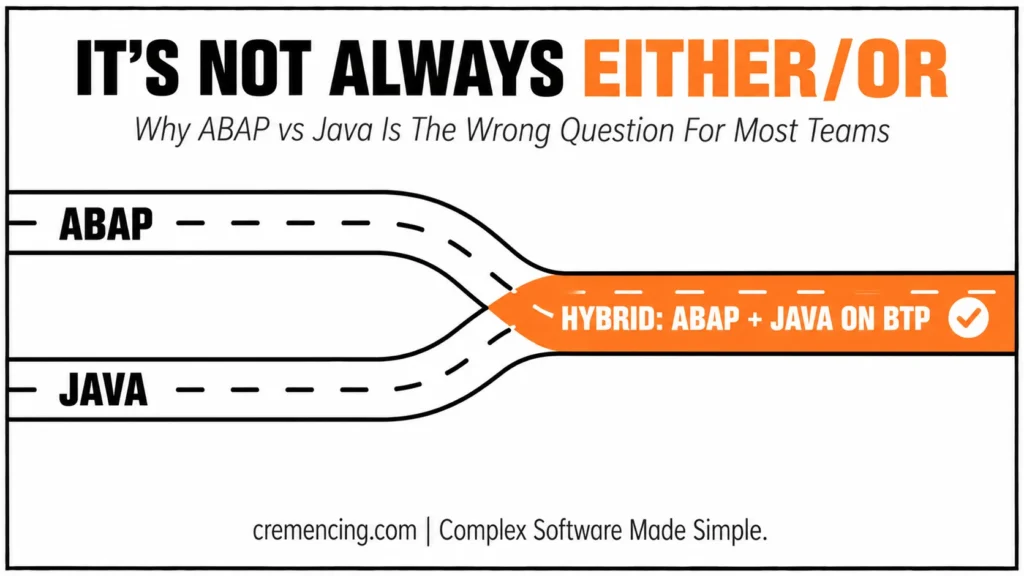
By combining the best parts of ABAP with Java, the SAP Business Technology Platform (BTP) makes SAP’s products better. Using the SAP BTP lets developers use ABAP for core apps and Java for adding features that work on all platforms.
Benefits of Using SAP BTP:
- A single place to create and deploy
- Better data management and analytics
- The ability to adapt to new technology trends in the future
Final Thoughts
In the end, your goal environment and business roadmap will determine whether you should use ABAP vs Java SAP development. ABAP—especially with RAP, CDS views, and ABAP Cloud keeps you close to SAP’s digital core and lifecycle if your core is S/4HANA and you use standard processes a lot. Upgrade safety is also very important.
Java (or CAP for Java) is great for making elastic, API-first services, integrations, or event-driven extensions on SAP BTP because it has mature tools, large libraries, containerization, and patterns that are native to the cloud. A lot of businesses use a mix of ABAP and Java. They use ABAP for in-app extensions and a clean core, and they use Java for side-by-side services and interfaces.
Consider what your constraints mean in real life. The skills of your team, the time it takes to reach the market, and the operating model (on-premises vs. cloud) all matter. So does the DevOps toolchain (gCTS/ATC vs. Git/CI/CD). Non-functional needs such as compliance, scalability, and latency deserve equal weight.
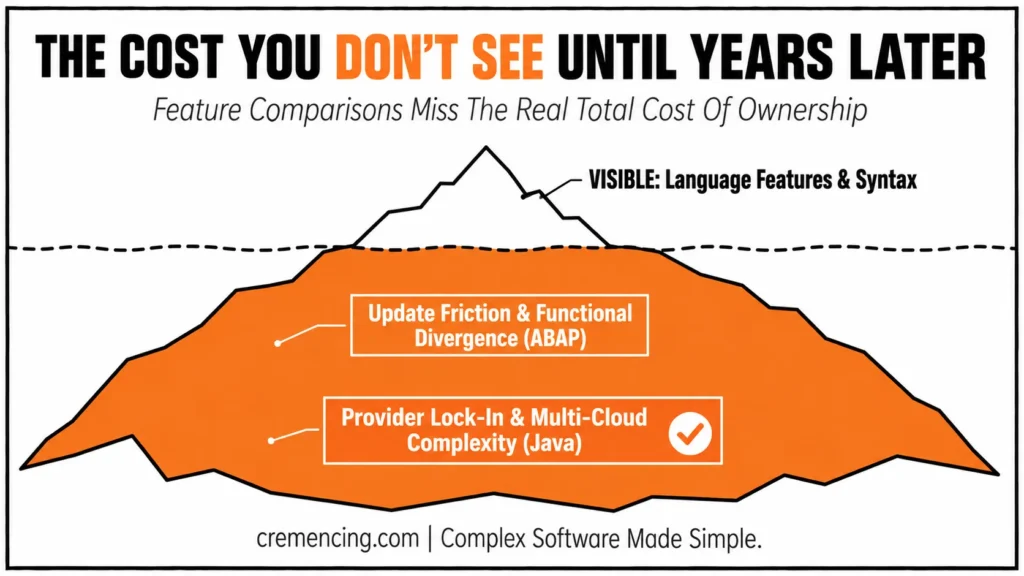
Total cost of ownership matters as well. For example, ABAP might lower functional divergence and update friction, while Java might lower provider lock-in and make microservices or multi-cloud setups easier. It’s not always either/or. In practice, ABAP handles what needs to live in the core, and Java handles what can grow on its own.
Think about the total cost of ownership as well. For example, ABAP might lower functional divergence and update friction, while Java might lower provider lock-in and make it easier for microservices or multiple clouds to be used. It’s not always either/or. Not at all. ABAP is used for what needs to be in the core, and Java is used for what can grow on its own.
Find out about the best ABAP and Java features that can help you build for SAP in new ways. Meoww gives you expert tips that make your digital life better and offers the best cat food and entertainment options, so you and your cat can have a lot of fun together.
Frequently Asked Questions
1. What things should you think about when deciding between ABAP and Java for SAP Development?
Think about how the project fits together, how big it is, and what resources you have. ABAP is better for programs that work well with SAP features, while Java is better for applications that work on a wider range of platforms.
2. How does ABAP make SAP-specific development better?
ABAP makes it easy to connect with SAP systems, which makes it easy to create unique solutions within the SAP ecosystem.
3. Can you use Java well in SAP landscapes?
Yes, Java is flexible and can be used for more than only SAP apps. This will make it easier to grow in the future.
4. What makes the SAP Business Technology Platform so vital for growth?
SAP BTP makes it easier to connect SAP and non-SAP technologies, which enables for a single development environment.
5. Which language has a better community support system, ABAP or Java?
While ABAP has specialized support within SAP, Java’s larger global community provides extensive resources and assistance.
6. Is ABAP or Java better for SAP S/4HANA extensions?
ABAP is usually the better choice for in-app extensions that need to stay close to the core, especially with RAP, CDS views, and ABAP Cloud. Java is better for side-by-side services that run outside the core.
7. When should I use Java instead of ABAP on SAP BTP?
Use Java, for example with CAP for Java, when you need API-first microservices, event-driven extensions, or integrations with non-SAP systems. It also suits teams that already have strong Java skills and cloud-native tooling.
8. Can ABAP and Java be used together in the same SAP landscape?
Yes, and many companies do. A common pattern is ABAP for core logic and clean-core extensions, with Java for side-by-side services and interfaces that need to scale independently.
9. How does the skill set of my team affect the choice between ABAP and Java?
Team skills directly affect delivery speed and maintenance cost. An experienced ABAP team will usually deliver core extensions faster in ABAP, while a team with Java and DevOps experience may be more productive building cloud services.
10. How do ABAP and Java compare on total cost of ownership?
ABAP can lower upgrade friction and keep customizations aligned with SAP releases. Java can reduce vendor lock-in and make multi-cloud or microservice setups easier. The lower-cost option depends on your operating model and long-term roadmap.
Educational Resources: